
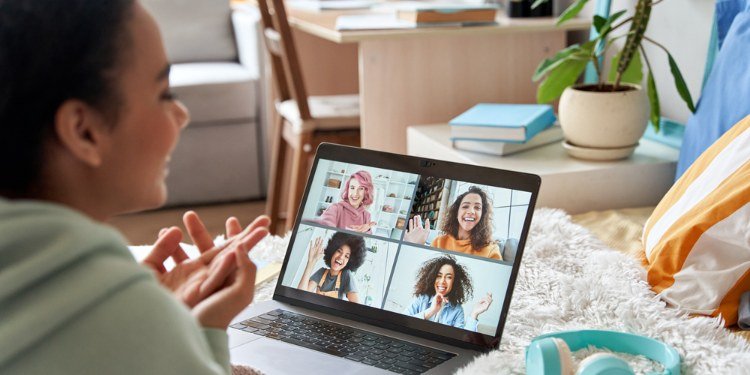
Your best friends live three time zones away. There’s a show you all want to watch, but coordinating feels impossible. If you’re asking how do I host a virtual watch party with friends, you’re looking for one of the best uses of technology for human connection — shared viewing experiences that bridge distance. I’ve hosted virtual watch parties since the pandemic made them essential, and they’ve stuck around because they’re genuinely great: the group chat energy, the synchronized reactions, the feeling of togetherness across miles. Here’s how to do it right.
The core challenge of virtual watch parties is synchronization — everyone needs to see the same thing at the same time, with a way to react together. Get this right and it feels like you’re on the same couch. Get it wrong and it’s just four people separately watching TV while texting. Let’s build the setup.
How Do I Host a Virtual Watch Party With Friends? Choose Your Platform
Built-in watch party features (easiest)
Disney+ GroupWatch: the smoothest implementation — up to 7 people, synchronized playback, emoji reactions, no chat (use a separate call for talking). Works on web, mobile, and smart TVs. Everyone needs their own Disney+ subscription. Best for: family movie nights, Marvel/Star Wars marathons.
Amazon Prime Video Watch Party: up to 100 participants, built-in chat sidebar, synchronized playback. Everyone needs Prime. The chat feature is the advantage here — reactions and commentary in real time without a separate app. Best for: big groups, Super Bowl-style events.
Hulu Watch Party: up to 8 people, synchronized playback with chat. Available on the ad-free plan. Solid but the 8-person cap and ad-free requirement limit it. Best for: small groups already on Hulu.
Max / Netflix: neither offers a native watch party feature (Netflix killed Party; Max never built one). For these, you need third-party tools below.
Third-party sync tools (most flexible)
Teleparty (formerly Netflix Party) — the original and still excellent: Chrome/Edge extension that syncs Netflix, Disney+, Hulu, Max, and others, with a chat sidebar. Everyone needs their own subscription to the service. Free. The standard choice for most groups.
Scener — adds video chat alongside synchronized viewing, so you can see friends’ reactions. Supports major streamers. The video-chat integration is the differentiator — reactions are half the fun, and seeing faces beats reading chat. Free tier available.
Hyperbeam — a shared virtual browser: one person loads the stream, everyone watches the same browser window with voice/video chat. Works with any streaming service (no individual subscriptions needed beyond the host’s — though check terms of service). The most flexible option, slightly lower video quality.
Discord screen share: the gamer’s solution — stream your screen to a Discord voice channel. Quality is decent, everyone’s probably already on Discord, and the voice chat is excellent. The host needs a good connection. (Note: some services block screen sharing with DRM — test before the event.)
Planning the Perfect Virtual Watch Party
Pick the content democratically. The marathon planning principles apply: poll the group (a simple ranked vote in the group chat), consider the format (movies work better than series for one-off parties — a series needs a recurring schedule), and respect the lowest-engagement threshold (if half the group hasn’t seen the first two films in a trilogy, start with film one or pick something standalone).
Schedule across time zones thoughtfully. The eternal challenge: 7 PM Eastern is 4 PM Pacific (fine) but midnight in London (not fine). Use a scheduling poll (When2meet, Doodle) for the first few parties until you find the group’s natural slot. Weekend afternoons Eastern often work best for coast-to-coast groups. For international friends, accept that someone compromises — rotate the inconvenience.
Do a tech rehearsal. Fifteen minutes before showtime, everyone joins, tests audio/video, confirms the sync works, and troubleshoots. Nothing kills the vibe like 20 minutes of “can you hear me? Is it playing for you?” during the opening credits. The host should have everyone’s phone number for troubleshooting outside the party platform.
Set the social norms. Talking during the show: encouraged with push-to-talk discipline, or chat-only? (Unmanaged open mics during dialogue ruin everything — establish the rule upfront.) Bathroom/snack breaks: pause for everyone or keep rolling? (Democratic pause is friendlier.) Phones: the usual streaming etiquette applies — you’re here to be together.
Leveling Up: Themes and Traditions
The best virtual watch parties become traditions with their own rituals. Themed snacks: everyone makes (or orders) the same themed food — taco night for a western, sushi for anime. Share photos in the chat. Pre-show hangout: open the call 30 minutes early for catching up — the social time is as important as the show. Drinking games (for appropriate content and groups): synchronized sips on trigger phrases. Live prediction polls: “who dies first?” votes before horror films. Post-show discussion: don’t just hang up at the credits — the debrief is where the bonding happens.
Recurring series clubs are the ultimate form: the group watches one episode weekly, same time, with the chat ongoing between episodes (theories, memes, reactions). It’s a book club for television — and for distant friend groups, it provides the regular rhythm that maintains closeness. Some of my strongest long-distance friendships run on weekly watch parties.
Troubleshooting common issues
- Sync drift: if someone falls behind, everyone pauses and the host counts down “3-2-1-play.” Teleparty usually handles this automatically.
- DRM blocking screen share: switch to a browser-based sync tool (Teleparty) instead of screen sharing, or have everyone stream individually.
- Audio echo: everyone wears headphones — non-negotiable for open-mic setups.
- Bandwidth issues: the struggler drops video chat but keeps the stream; audio-only participation beats frozen video.
- Someone hasn’t seen it: spoiler policy agreed upfront — the unspoiled viewer’s reactions are the entertainment; veterans keep quiet.
For the in-person equivalent, see movie marathon planning. For the technology of synchronized streaming, the Wikipedia article on streaming media covers the underlying tech.
So how do you host a virtual watch party with friends? Pick your sync tool (Teleparty for simplicity, Scener for video reactions, Hyperbeam for flexibility), choose content democratically, schedule across time zones with a poll, rehearse the tech beforehand, set social norms for talking and breaks, and build traditions (themed snacks, pre-show hangouts, post-show debriefs). Distance is just geography — a well-run watch party makes three time zones feel like one couch.




2 Comments