
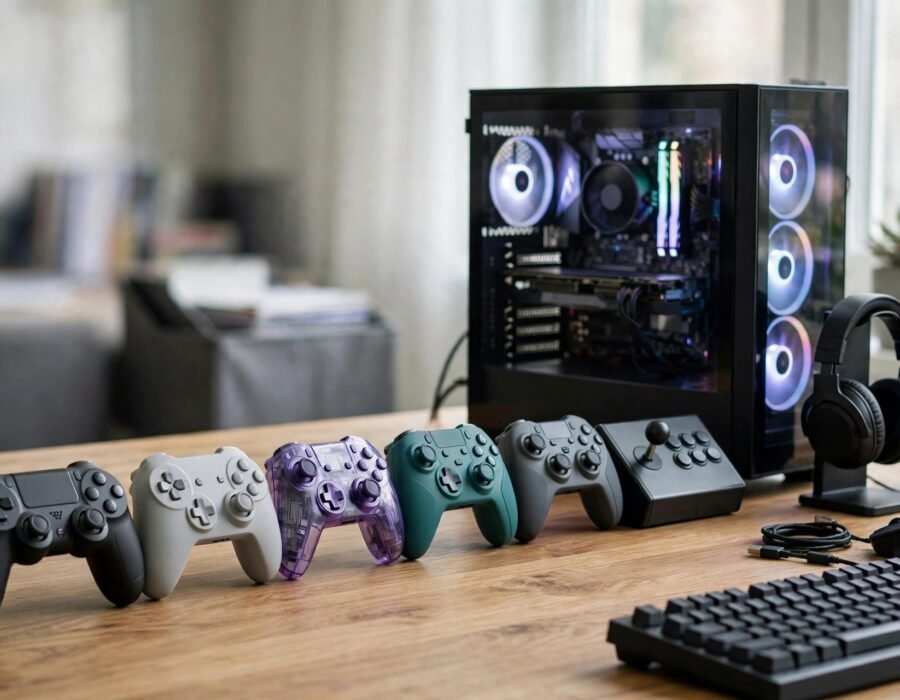
Keyboard and mouse or controller? For PC gaming, this is the eternal debate — and the answer is genuinely “it depends,” which is why the controller market is so confusing. Xbox-style, PlayStation-style, pro controllers with back paddles, fight sticks, racing wheels: the options multiply yearly. If you want to understand how to choose the best controller for PC gaming in the US, this guide cuts through the marketing to what matters: your games, your hands, and your budget.
The first decision is the biggest: what do you actually play? Fast-paced shooters reward mouse and keyboard — a controller is a deliberate handicap there. But for racing games, fighting games, platformers, souls-likes, and third-person action games, a controller is often superior: analog movement, comfortable long sessions, and rumble feedback. Many PC gamers use both, switching per genre. The “best” controller is the one matched to your library.
The Main Contenders
The Xbox Wireless Controller remains the PC default for good reasons: native Windows support (it is Microsoft’s own), excellent ergonomics for average-to-large hands, good battery life, and reasonable price ($60–70). It connects via Bluetooth, Xbox Wireless adapter (lower latency), or USB-C. The asymmetric stick layout suits shooters and action games. Downsides: no rechargeable battery included (AAs or a play-and-charge kit), and the standard d-pad, while improved, still lags behind Nintendo’s and Sony’s for fighting games.
The PlayStation DualSense is the feature king: adaptive triggers that resist under tension, nuanced haptic feedback, and a superb d-pad. On PC, Steam Input unlocks most features, though adaptive triggers work in only a handful of PC titles. The symmetric stick layout suits some hands better. Downsides: shorter battery life than Xbox, and feature support varies by game. For story-driven and atmospheric games, the DualSense’s haptics are genuinely transformative — the best video games for casual players are exactly the titles where this immersion shines.
Pro Controllers: Worth It?
Pro controllers (Xbox Elite Series 2, DualSense Edge, SCUF) add back paddles or buttons, adjustable sticks and triggers, and premium build — for $180–200+. The paddles are the real feature: keeping thumbs on sticks while jumping, reloading, or crouching is a genuine competitive advantage in shooters. Everything else is refinement. Worth it for serious competitive players; overkill for everyone else. Note the reliability concerns — stick drift has plagued premium controllers disproportionately, so check warranties.
What Actually Matters When Choosing
Fit your hands first. Controller comfort is deeply personal — hand size, grip style, and stick-layout preference vary enormously. If possible, hold one before buying; ergonomics cannot be conveyed by reviews. Second, check PC compatibility specifics: Xbox controllers are plug-and-play, DualSense needs Steam Input for full features, Switch Pro controllers work via Steam but with quirks. Third, consider latency: wired USB-C is lowest, the Xbox Wireless adapter is excellent, Bluetooth is fine for casual play but measurably laggier.
Fourth, think about battery: rechargeable built-in (DualSense, Pro controllers) versus AAs (Xbox standard). Fifth, durability — CPSC product safety data aside, the real issue is stick drift, which affects all major controllers eventually; extended warranties are worth considering on expensive models. Wireless standards keep improving, and Bluetooth SIG’s specifications show how far low-latency Bluetooth has come — though dedicated 2.4GHz adapters still win for competitive play. And when console stock fluctuates, why game consoles are sometimes hard to find explains the supply cycles that affect controller availability too.
Budget Picks That Punch Above Their Weight
You do not need to spend $70. The 8BitDo Pro 2 (around $50) is beloved for its excellent d-pad — arguably the best for retro and fighting games — plus deep remapping software and multi-platform support. PowerA’s enhanced wired controllers ($30–40) offer back buttons and decent build at half the price of first-party pads, with the trade-off of wired-only play. For PC specifically, last-generation first-party controllers bought used or refurbished are steals: an Xbox One controller does 95% of what the Series controller does for PC gaming.
The budget calculus: a $40 controller that fits your hands beats a $70 one that does not. Prioritize the fundamentals — reliable connection, comfortable shape, working d-pad — over premium features you will not use. And buy from retailers with good return policies, because no review conveys hand feel. The controller market’s dirty secret is that mid-range options have gotten so good that the premium tier is increasingly about luxury, not performance — and luxury is a fine thing to want, as long as you know that is what you are buying.
Controllers for Specific Genres
Different games want different controllers. Fighting games reward arcade sticks or controllers with superb d-pads (8BitDo, DualSense) — analog sticks are imprecise for quarter-circle motions. Racing sims want wheels, full stop; a controller is a compromise you will feel every lap. Flight sims want HOTAS setups. Platformers and souls-likes are happy on any quality pad. If you main one genre, optimize for it: a fighting-game player with an arcade stick and a racing player with a wheel will both outperform a generalist with a premium gamepad in their respective domains.
This is also where the “best controller” question dissolves: the answer is a small collection, each matched to its genre, bought over time. Start with one great all-rounder, then add specialists as your library dictates. Your hands — and your lap times, combos, and flight hours — will thank you for years. Comfort is performance — never forget that the best hardware is the kind you forget you are using. That is the real test — and the only review that matters.
The Bottom Line
For most PC gamers: the Xbox Wireless Controller is the safe default — native support, great ergonomics, fair price. Choose the DualSense for haptic immersion in story games. Go pro only if you play competitively enough to exploit back paddles. Match the controller to your games, prioritize hand fit over features, and remember that the best controller is the one you stop thinking about — comfort so complete it disappears into the game.
Frequently Asked Questions
Is it better to use Xbox or PlayStation controller on PC?
Xbox for simplicity — native Windows support, everything just works. PlayStation DualSense for features — better haptics and adaptive triggers, but fuller support requires Steam Input and varies by game. Most players should default to Xbox unless they specifically want DualSense features.
Do pro controllers make you better?
Back paddles genuinely help in competitive shooters by keeping thumbs on sticks during actions. Everything else (adjustable tension, premium materials) is marginal. They do not fix game sense or aim — they remove a small mechanical bottleneck for players already near their ceiling.
What causes stick drift and can I fix it?
Stick drift — phantom inputs from worn potentiometers — comes from mechanical wear, dust, or manufacturing defects. Temporary fixes: recalibration, compressed air, deadzone increases. Permanent fix: stick replacement (easier on controllers with hall-effect sticks, which use magnets instead of physical contacts and barely wear).
Wired or wireless for PC gaming?
Wired has the lowest latency and no battery concerns — best for competitive play. Modern 2.4GHz wireless (Xbox adapter, pro controller dongles) is effectively equivalent for most players. Bluetooth is fine casually but adds measurable latency; avoid it for ranked shooters.