Video interviews are no longer the backup option — for many roles, they’re the entire process. And they’re harder than in-person interviews in specific ways: the technology can fail, your presence reads differently on camera, and the home environment becomes part of your candidacy. But they’re also more controllable — you can prepare your setup, your notes, and your environment in ways a conference room never allows. Here’s when and how to prepare for a video job interview that actually wins the role.
When to Start Preparing
The moment you’re invited. Video interviews compress the timeline — first-round video screens often happen within days of application. Minimum viable preparation takes 2–3 hours; thorough preparation takes a day. Never wing the tech: a 15-minute tech rehearsal the day before prevents 90% of video-interview disasters.
The Technical Setup (Non-Negotiable)
- Platform check: confirm which platform (Zoom, Teams, Google Meet, Webex) and test it — install updates, create an account if needed, and do a test call with a friend. Know where mute, camera, screen-share, and chat are before the interview.
- Internet: wired ethernet beats Wi-Fi; if Wi-Fi only, sit near the router and ask household members to avoid streaming during your slot. Have your phone’s hotspot as backup — and know how to switch to it.
- Camera at eye level: stack books under the laptop. Looking down at the camera reads as disengaged; eye-level reads as confident. Position yourself so your head and shoulders fill the frame with a little headroom.
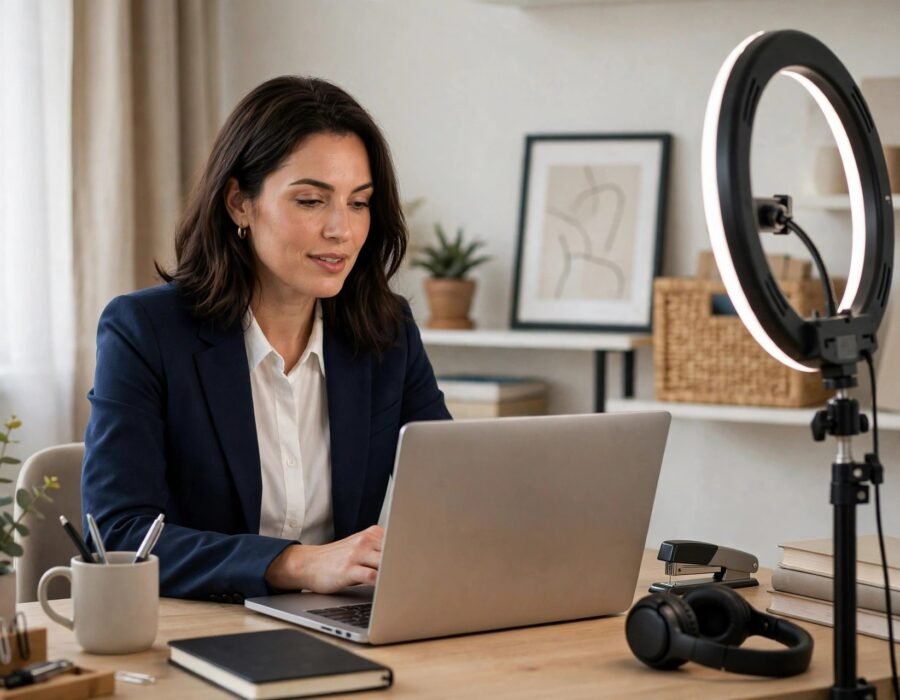
- Lighting: face a window or put a lamp behind the camera, aimed at your face. Never sit with a bright window behind you (silhouette effect). A $20 ring light is the cheapest interview upgrade available.
- Audio: a quiet room matters more than an expensive mic — but earbuds with a mic beat laptop speakers in echoey rooms. Test: record 30 seconds and listen back.
- Backup plan: have the interviewer’s phone number (ask the recruiter beforehand). If video fails, you call within 60 seconds — calmly. Tech failures happen; panic is what’s judged.
The Environment (Your Background Is a Signal)
Choose: a clean, uncluttered real background (bookshelf, plain wall, tidy room) or a subtle virtual background. Real backgrounds read as more authentic; virtual backgrounds are fine if clean and professional — but test them (glitchy edges distract). Remove: clutter, controversial items, anything you’d be embarrassed to explain. Add: nothing you don’t need — the background should be forgettable, not memorable. And control the household: tell everyone the exact interview window, put pets in another room, silence notifications on all devices (the phone buzzing on the desk mid-answer is a classic).
Presence on Camera (It’s a Different Medium)
- Look at the camera, not the screen. When speaking, eyes on the lens = eye contact. (When listening, watching the screen is fine.) Put a sticky note arrow next to the lens as a reminder.
- Energy up 20%. Camera flattens affect — what feels natural in person reads as flat on video. Slightly more animation, slightly more vocal variety.
- Sit up, lean in slightly. Posture reads as engagement. Don’t fidget in frame — every movement is magnified.
- Dress fully professionally. Yes, including below the frame. “Business on top, pajamas below” fails the moment you stand up — and dressing fully shifts your mindset.
- Use notes strategically. This is video’s superpower: a one-page cheat sheet (your stories, questions to ask, key numbers) taped beside the camera, invisible to the interviewer. Don’t read from it — glance.
What to wear follows the same logic as in-person: startup interview attire guidance applies on camera too — match the company’s culture, one notch up.
Content Preparation (Same Rigor, Plus)
Prepare answers with the same seriousness as in-person: your 90-second “tell me about yourself,” 3–4 STAR stories (Situation, Task, Action, Result) covering leadership, conflict, failure, and achievement, and 3–5 thoughtful questions for them. AI interview practice tools are especially useful for video — rehearse with your actual setup, on camera, and watch the recordings.
Video-specific content notes: have a crisp answer for “why remote/this format works for you” if relevant; prepare for the possibility of AI-notetaking bots (increasingly common — don’t be thrown by the “recording/transcription” notice); and for panel interviews, address each person by name and distribute your camera-gaze.
The Day-Of Checklist
- 30 min before: setup complete, lighting checked, background verified, devices silenced, water nearby, notes in place, bathroom visited.
- 10 min before: join the waiting room / have the link open. Breathe.
- During: smile when you join (first impressions form in seconds, even on video), keep water off-camera-ish but reachable, take brief notes (shows engagement).
- After: send the thank-you email within 2–4 hours, referencing something specific from the conversation.
Handling Disasters Gracefully
Doorbell rings: apologize briefly, mute, handle it, resume — interviewers are human. Connection drops: rejoin immediately; if it persists 2 minutes, call the phone number. Pet invasion: acknowledge with humor, remove the pet, move on (it’s happened to executives on live TV — grace under pressure is the actual test). The SHRM interview research consistently shows that recovery from mishaps matters more than the mishap.
AI Interviewers: The New First Round
An increasing share of first-round video interviews in 2026 are conducted by AI — asynchronous video interviews where you record answers to prompted questions, evaluated by algorithms before any human watches. The preparation differs. Structure beats charisma: AI evaluators weight keyword relevance, answer completeness, and structure (STAR format parses well) over charm — the charismatic ramble that works on humans underperforms with algorithms. Watch your pace and fillers: some systems analyze speech patterns; excessive “um” and long pauses score poorly regardless of content. Keywords matter more: mirror the job description’s terminology deliberately — the system is literally matching. It’s not personal — prepare accordingly: practice with the actual recording interface (most platforms offer a practice question), get comfortable talking to a lens with no human feedback, and keep answers tight — AI interviews often have strict time limits per question. The upside: no unconscious-bias small talk, no bad-day interviewer, and you can usually re-record practice attempts. The downside: the process can feel dehumanizing. Treat it as what it is — a structured screening to pass, not a conversation to win — and save your relationship-building for the human rounds.
Conclusion
Prepare for video interviews starting the day you’re invited: nail the tech (platform test, eye-level camera, front lighting, quiet audio, backup plan), curate a forgettable-professional background, boost your on-camera energy 20% with eyes on the lens, use the notes superpower wisely, and rehearse content on camera — not just in your head. Video interviews reward the prepared more than in-person ones do, because every variable is controllable. Control them.
Frequently Asked Questions
How should I prepare for a video interview?
Start when invited: test the platform and do a full tech rehearsal, set camera at eye level with front lighting, curate a clean background, silence all devices, prepare notes beside the camera, and rehearse answers on camera.
What should I wear to a video interview?
Full professional attire, head to toe — matching the company culture one notch up. Dressing fully (not just the visible half) improves mindset and covers stand-up surprises.
Should I look at the camera or the screen?
The camera lens when speaking (that’s eye contact); the screen when listening. A sticky-note arrow by the lens helps build the habit.
Can I use notes in a video interview?
Yes — it’s video’s legitimate advantage. Keep a one-page cheat sheet (stories, questions, key numbers) beside the camera and glance, don’t read.
What do I do if my video interview tech fails?
Rejoin immediately; if unresolved in ~2 minutes, call the interviewer’s number (get it beforehand). Stay calm — graceful recovery impresses more than perfection.
Sources: SHRM interview guidance and CareerOneStop.