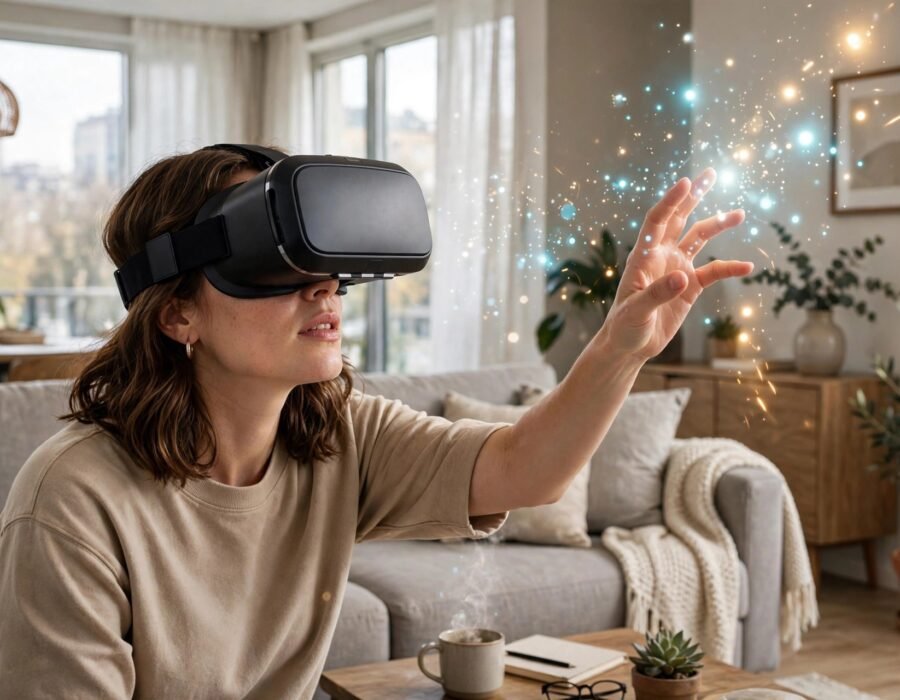
You have watched the videos — people ducking imaginary obstacles, reaching for virtual objects, laughing in worlds that are not there. VR finally grew up: the headsets are wireless, the games are genuinely good, and the prices have fallen into the mainstream. If you want to know what is the best way to understand VR headsets for first-time buyers, this guide covers the current landscape without the hype: what to buy, what to skip, and the practical realities (motion sickness, space requirements, hidden costs) that reviews gloss over.
The market in 2026 has consolidated around a few clear choices. Standalone headsets (Meta Quest 3/3S and successors) need no PC or console — everything runs on the headset itself. They are the default recommendation for most first-time buyers: affordable ($300–500), wireless, and with a large game library. PCVR headsets (Valve Index, HTC Vive, PSVR2 for PlayStation owners) offer superior visuals and tracking at higher cost and complexity — the enthusiast tier. Understanding this split answers 80% of the buying question.
Standalone vs. PCVR: The Real Trade-Off
Standalone headsets trade visual fidelity for freedom. A Quest runs mobile-class chips, so graphics resemble a PlayStation 3 rather than a PS5 — but the games are designed around it, the experience is polished, and there are no wires, no PC requirements, no setup friction. For most buyers, this is the right trade: the best VR is the VR you actually use, and frictionless headsets get used.
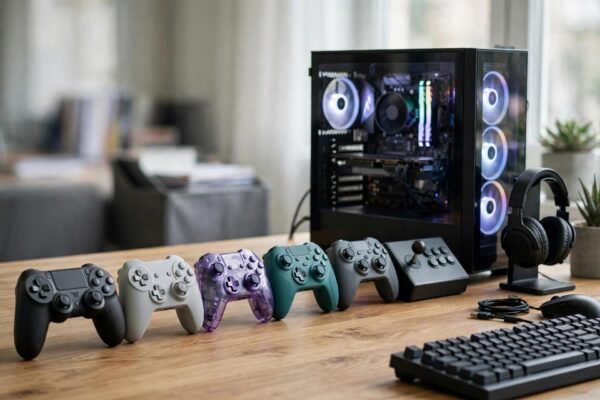
PCVR trades freedom for fidelity. Tethered to a gaming PC (or using wireless streaming from one), these headsets deliver dramatically better graphics, wider fields of view, and precision tracking. The cost: a VR-ready PC ($1,000+), cable management or finicky wireless setup, and a smaller, more hardcore software library. Buy PCVR if you already own the PC and crave the best visuals; buy standalone if you want VR to just work. PSVR2 occupies a middle ground for PlayStation 5 owners — excellent hardware locked to one ecosystem. CPSC product safety information is worth a glance for any headset purchase, particularly regarding age recommendations. And if your household spans ages, the best video games for casual players include VR titles designed for exactly this accessibility.
What First-Timers Get Wrong
Motion sickness is the big one. VR sickness comes from sensory mismatch — your eyes say you are moving, your inner ear says you are not. It affects newcomers most and usually fades with gradual exposure: start with stationary experiences, use teleport movement instead of smooth locomotion, take breaks at the first queasiness (pushing through makes it worse), and keep a fan blowing on your face, which genuinely helps. Most people acclimate within one to two weeks.
Space and setup surprise people too. Room-scale VR wants a clear 6.5×6.5 foot area minimum — measure before buying, not after. Seated and standing experiences need far less. IPD (interpupillary distance) adjustment matters for comfort and clarity; headsets with physical IPD sliders fit more faces than fixed-lens budget models. Glasses wearers should check compatibility or budget for prescription lens inserts ($50–80, transformative for regular glasses users). And the American Academy of Ophthalmology’s guidance notes that while VR does not damage adult eyes, manufacturers’ age minimums (usually 10–13) exist for developing visual systems — respect them. For shared family use, planning a fun game night with friends translates perfectly to VR party sessions, which are among the medium’s best experiences.
The Hidden Costs
Budget beyond the headset: prescription inserts if you wear glasses, a better head strap (the included soft straps cause neck fatigue — third-party rigid straps, $30–50, are the most recommended VR accessory in existence), rechargeable batteries or a charging dock for controllers, and possibly a dedicated router for wireless PCVR streaming. None are mandatory, but the strap upgrade alone changes the experience more than any spec sheet suggests.
Which Headset Should You Actually Buy?
The decision tree: Want simplicity and value? Meta Quest 3S (budget) or Quest 3 (better lenses and power). Own a PS5 and want premium console VR? PSVR2. Own a gaming PC and want the best visuals? A PCVR headset matched to your GPU. Buying for kids? Check age minimums carefully and consider whether the content library suits them — VR’s intensity amplifies both wonder and fear.
Timing matters too. The VR market moves in generations, and buying right before a new release stings. But the current generation is mature — the software libraries are deep, the hardware is refined, and prices are stable. There is no bad time to buy anymore, only better-informed ones. Try before you buy if possible: VR demos at electronics stores, VR arcades, or a friend’s headset convey more in ten minutes than any review.
VR Beyond Gaming: Fitness, Work, and Wonder
The headset you buy for games will tempt you into everything else. VR fitness apps (Beat Saber, Supernatural, Les Mills Bodycombat) deliver genuinely effective workouts disguised as games — users report sustained exercise habits that traditional routines never achieved, because the fun overrides the effort. Virtual tourism lets you stand in Machu Picchu or the International Space Station from your living room. Social VR platforms host concerts, meetups, and hangouts with a presence video calls cannot match.
Work applications are maturing too: virtual monitors for laptop workers, 3D design review, remote collaboration with spatial presence. None of this replaces the real thing, but the breadth matters for the buying decision — a VR headset is not a single-purpose toy but a general computing platform in its awkward adolescence. Buy for the games; stay for everything else it becomes.
The Bottom Line
For most first-time buyers, a standalone headset is the answer: affordable, wireless, and good enough that the magic lands immediately. Go PCVR or PSVR2 only if you have the hardware ecosystem to support it and crave maximum fidelity. Manage motion sickness with gradual exposure, upgrade the head strap, respect age minimums — and prepare for the moment the headset comes off and the real world looks slightly disappointing. That feeling is how you know it worked.
Frequently Asked Questions
Do I need a gaming PC for VR?
No — standalone headsets like the Meta Quest line need nothing but the headset itself. A gaming PC is only required for PCVR headsets (Valve Index, HTC Vive), which offer better graphics at much higher total cost and complexity.
Will VR make me motion sick?
Possibly at first — it is the most common newcomer issue, caused by sensory mismatch. It usually fades within 1–2 weeks of gradual exposure. Start with stationary experiences, use teleport movement, take breaks early, and keep air flowing on your face.
Is VR safe for kids?
Manufacturers set minimum ages (typically 10–13) due to developing visual systems and headset fit. The American Academy of Ophthalmology advises respecting these limits. Supervise children’s sessions, keep them short, and ensure content is age-appropriate — VR intensifies everything.
Can I wear glasses with a VR headset?
Most headsets accommodate glasses, but comfort varies — and glasses can scratch headset lenses. Prescription lens inserts ($50–80) are the best solution for regular glasses wearers: they snap in magnetically and transform comfort and clarity. Measure your IPD when ordering.
How much space do I need for VR?
Room-scale experiences want at least 6.5×6.5 feet of clear space. Seated and standing games need far less — just enough to extend your arms. Measure your available space before choosing between room-scale ambitions and seated reality.