
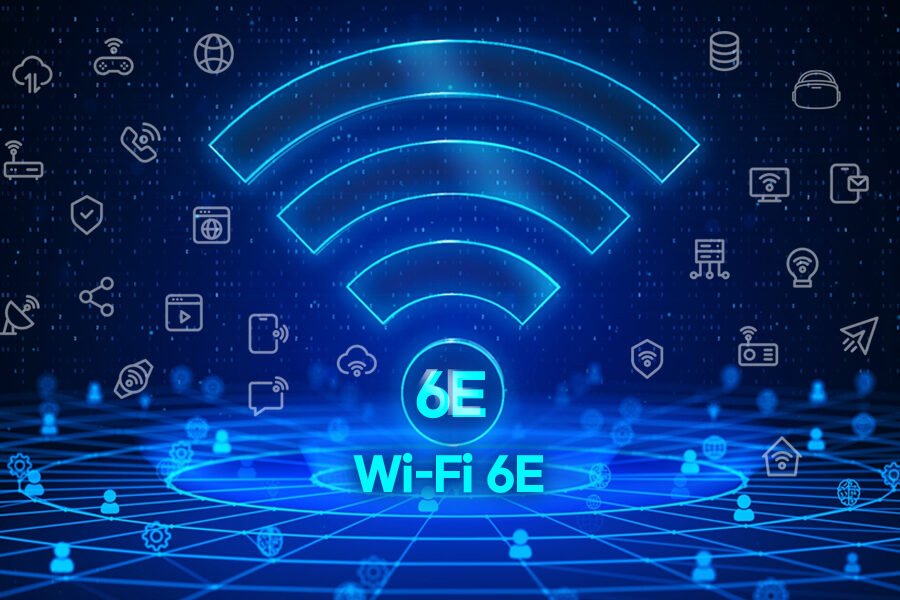
Shopping for a router in 2026 means wading through alphabet soup: Wi-Fi 6, Wi-Fi 6E, Wi-Fi 7. The marketing makes each one sound revolutionary, but the real-world differences are more subtle. So what is the difference between Wi-Fi 6 and Wi-Fi 6E, and should you care?
The short answer: Wi-Fi 6E is Wi-Fi 6 plus access to a brand-new, much less crowded radio band. That one addition matters more than you’d think — but only if your devices can use it.
The One Big Difference: The 6 GHz Band
Wi-Fi 6 operates on the 2.4 GHz and 5 GHz bands — the same crowded airwaves every router, baby monitor, and microwave has been fighting over for years. Wi-Fi 6E adds a third band: 6 GHz. Think of it like a new highway opening next to a congested one. Same speed limit, way less traffic.
The 6 GHz band offers up to 1,200 MHz of spectrum — more than double what’s available on 5 GHz — which means wider channels, less interference, and more consistent speeds. In apartment buildings where thirty routers compete on the same channels, the difference can be dramatic. If your internet slows down at night, congestion is often the culprit, and 6E directly addresses it.
Speed: What You’ll Actually Notice
Here’s where marketing gets ahead of reality. Wi-Fi 6E doesn’t automatically make your internet faster — your speed is capped by your internet plan. What it does is deliver more of your plan’s speed, more consistently, especially on busy networks.
- Wi-Fi 6: theoretical max ~9.6 Gbps; real-world typically 600–900 Mbps on a good setup.
- Wi-Fi 6E: same theoretical max; real-world often 800 Mbps–1.5 Gbps with less variability.
- The catch: both need a fast internet plan and a device with a 6E-capable chip to show any difference.
Latency is the sleeper benefit. The uncrowded 6 GHz band means lower, more stable ping — noticeable in video calls and online gaming. According to the FCC, which opened the 6 GHz band for unlicensed use in 2020, the extra spectrum was specifically meant to relieve congestion.
Should You Upgrade? An Honest Answer
Upgrade to 6E if: you live in a dense apartment or condo, you have gigabit internet, and your main devices (phone, laptop) support 6E — most phones from 2022 onward and recent laptops do. A decent 6E router runs $150–$250.
Skip it if: your devices are older than ~2021 (they can’t use the 6 GHz band at all), your internet plan is under 500 Mbps (you won’t see a difference), or your current router works fine. Also worth knowing: 6 GHz has shorter range than 5 GHz and struggles more with walls. In a big house, that matters.
And if your router is ancient, check how often you should replace your Wi-Fi router — you might be due for an upgrade regardless of which standard you pick. Wi-Fi 7 routers are also on shelves now, but they’re still priced at a premium ($300+) that most households don’t need to pay yet.
Setting It Up Right
If you do get a 6E router, a few setup tips: give the 6 GHz band its own network name so you can choose it manually, place the router centrally and elevated, and update the firmware on day one. Many routers ship with months-old firmware that kneecaps performance.
One more practical note: if your smart TV keeps disconnecting from Wi-Fi, the 6 GHz band won’t help — most smart TVs don’t support 6E. Connect those to your 5 GHz or 2.4 GHz band instead.
Wi-Fi 6 vs. 6E vs. 7: The Full Picture in 2026
With Wi-Fi 7 routers now on shelves, the lineup can be confusing. Here’s the simple hierarchy: Wi-Fi 6 is the baseline modern standard (fine for most homes), Wi-Fi 6E adds the 6 GHz band for congested environments, and Wi-Fi 7 adds faster throughput, lower latency, and multi-link operation — at a steep premium.
For 2026 buyers, the practical ranking by value is: Wi-Fi 6 for budget-conscious households ($80–$130), Wi-Fi 6E for apartments and gigabit plans ($150–$250), and Wi-Fi 7 only for enthusiasts and early adopters ($300+). Wi-Fi 7’s headline features — 320 MHz channels, 4K QAM — deliver real gains, but vanishingly few client devices support them yet, so most buyers pay for potential they can’t use.
Whichever you choose, remember the router matters less than placement and your internet plan. A well-placed Wi-Fi 6 router beats a poorly placed Wi-Fi 7 flagship every time.
Frequently Asked Questions
Do I need Wi-Fi 6E if I have Wi-Fi 6?
Only if you suffer congestion — typically dense apartments — and own 6E-capable devices. If your Wi-Fi 6 network performs well, there’s no reason to upgrade. The 6 GHz band is the entire difference.
Will Wi-Fi 6E work with my old devices?
Yes. Wi-Fi 6E routers still broadcast 2.4 GHz and 5 GHz networks that older devices use normally. Only 6E-capable devices can see the 6 GHz band; everything else works exactly as before.
Is Wi-Fi 7 worth it in 2026?
For most households, no — the $300+ premium buys features few devices support. Revisit in 2027–2028 when Wi-Fi 7 clients are common. Today’s smart money is Wi-Fi 6 or 6E.
Does 6 GHz go through walls?
Worse than 5 GHz. The higher frequency means shorter range and poorer wall penetration. In large homes, 6 GHz works best in the same room as the router; rely on 5 GHz elsewhere.
Can my internet provider’s router do Wi-Fi 6E?
Some ISP-provided gateways now include 6E, but most rental units are still Wi-Fi 6 or older — another reason buying your own router pays off. Check your gateway’s specs or ask your ISP.
How many devices can Wi-Fi 6E handle?
The standard supports the same dense-device improvements as Wi-Fi 6 (OFDMA, MU-MIMO) — dozens of devices comfortably. The 6 GHz band adds capacity on top. Device count is rarely the bottleneck on any modern router.
Final Thoughts
Wi-Fi 6E is Wi-Fi 6 with a new, uncongested 6 GHz lane — same technology, much less traffic. It’s a genuine upgrade for crowded apartments and gigabit households with modern devices, but it’s not magic: older devices can’t use it, and it won’t outrun a slow internet plan. If your current setup works, there’s no urgency. If you’re shopping for a router anyway, 6E is the sensible pick in 2026.


1 Comment