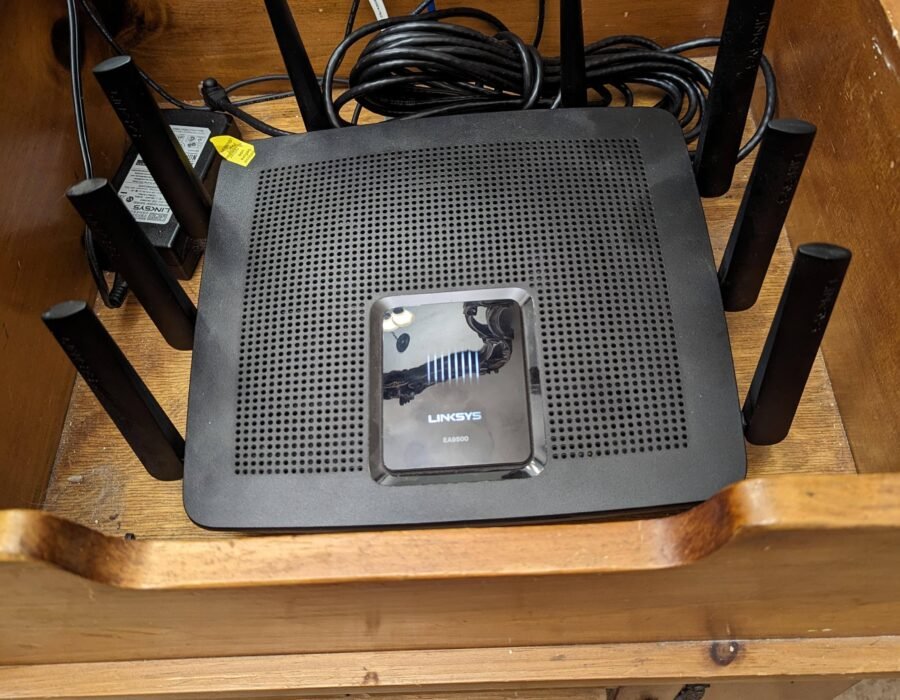
That router has been blinking away in the corner since 2019. It still “works” — but your speeds are meh, the Zoom calls stutter, and you’ve added a dozen smart devices since you bought it. How often should I replace my Wi-Fi router? The practical answer: every 3 to 5 years for most households, with some clear signs telling you when your time is up.
Routers don’t die dramatically — they fade. Here’s how to tell where yours stands.
The 3-to-5-Year Rule (and Why)
Three forces make routers obsolete on this timeline:
- Wi-Fi standards advance: Wi-Fi 5 (2014) → Wi-Fi 6 (2019) → Wi-Fi 6E (2021) → Wi-Fi 7 (2024). Each generation handles crowded networks and many devices significantly better. A Wi-Fi 5 router in a 2026 smart home is genuinely outmatched.
- Device counts explode: the average US home now has 20+ connected devices. Old routers were designed for 5–10. Each device adds overhead, and old processors choke.
- Security updates end: manufacturers typically support routers for 3–5 years. After that, no patches for vulnerabilities — and router vulnerabilities are nasty, since the router sees all your traffic.
The FCC doesn’t mandate replacement timelines, but security experts universally recommend replacing routers that no longer receive firmware updates — an unpatched router is a genuine security risk.
Signs Your Router Needs Replacing Now
Don’t wait for the calendar if you see these:
- Frequent disconnects requiring reboots — if you’re power-cycling weekly, the hardware or software is failing.
- Speeds far below your plan on wired connections too (test with Ethernet to rule out Wi-Fi issues).
- Dead zones that didn’t exist before, or new devices that won’t stay connected (smart TVs dropping Wi-Fi is a classic symptom).
- No firmware updates in 12+ months — check the manufacturer’s support page for your model.
- Can’t handle your device count — smart home growing, router struggling.
- Missing modern features: no WPA3 security, no automatic updates, no guest network.
What to Buy: 2026 Recommendations
You don’t need the $400 flagship. The value sweet spots:
- Most households: a good Wi-Fi 6 router, $80–$130 (TP-Link Archer, ASUS RT series). Massive upgrade from anything 5+ years old.
- Dense apartments / gigabit internet: Wi-Fi 6E, $150–$250. The 6 GHz band earns its keep here.
- Large homes with dead zones: a mesh system, $200–$350 for 2–3 nodes (Eero, Deco, Orbi). One router can’t cover 3,000 sq ft well; mesh can.
- Skip Wi-Fi 7 for now unless you’re an enthusiast — the premium ($300+) isn’t justified for typical use yet, and few client devices support it.
Also consider: many ISPs rent routers for $10–$15/month ($120–$180/year!). Buying your own pays for itself in under a year — just confirm compatibility with your ISP first.
Making the Transition Painless
Router swaps are less painful than people fear:
- Reuse your network name and password on the new router — every device reconnects automatically. This single trick saves hours.
- Update firmware on day one.
- Place it centrally and elevated — not in a closet, not behind the TV, not on the floor.
- Set up a guest network for visitors and IoT devices — basic network hygiene.
- Recycle the old router properly — do a factory reset first to wipe your network credentials.
Mesh Wi-Fi vs. Traditional Router: Which Do You Need?
A traditional router broadcasts from one point; mesh systems (Eero, Deco, Orbi) use 2–3 nodes working together to blanket your home. The rule of thumb: under ~1,500 sq ft with the router centrally placed, a single good router suffices. Above that, or with dead zones, mesh wins decisively.
Mesh isn’t just “more routers” — the nodes coordinate intelligently, handing your devices between them seamlessly as you move. Old-school range extenders (which mesh replaced) halved your speed and created separate networks; mesh avoids both problems. The tradeoff is cost ($200–$350 vs. $80–$130) and slight added latency from the node-to-node hop.
For most 2026 homes, a 2-pack mesh system is the sweet spot — covers 3,000+ sq ft, simple app-based setup, automatic updates. Power users and gamers may prefer a single high-end router with wired backhaul for maximum speed, but that’s the exception.
Frequently Asked Questions
How many mesh nodes do I need?
Two covers most homes up to ~3,500 sq ft; three for larger or multi-story homes with thick walls. More nodes isn’t always better — over-densifying causes interference. Start with two; add a third only if dead zones persist.
Can I mix mesh brands?
No — mesh systems are proprietary. Eero nodes only work with Eero, Deco with Deco. Choose an ecosystem and stay in it. This lock-in is the main argument for buying from an established brand.
Is mesh better than a Wi-Fi extender?
Overwhelmingly yes. Extenders halve bandwidth and create network-switching hassles. Mesh maintains speed and presents one seamless network. Extenders are obsolete technology — don’t buy one in 2026.
Do mesh systems work with my ISP’s modem?
Yes — put the ISP gateway in bridge mode (or just plug the mesh router into it) and let the mesh system handle Wi-Fi. This is the standard setup and works with cable, fiber, and DSL modems.
Will mesh fix my slow internet?
Only if Wi-Fi coverage is the problem. Mesh distributes your existing speed more evenly — it can’t make your ISP connection faster. Test wired speed first; if that’s slow, call your ISP, not a mesh vendor.
What is wired backhaul and do I need it?
Connecting mesh nodes via Ethernet instead of wireless — dramatically improves node-to-node speed. Ideal if your home has Ethernet wiring; otherwise, place nodes within good wireless range of each other. Wireless backhaul is fine for most.
Should I rent or buy my router?
Buy. ISP rentals cost $10–$15 monthly ($120–$180 yearly) for mediocre hardware, while a $100–$150 purchased router outperforms rentals and pays for itself within a year. The only exception: if your ISP includes a genuinely good gateway free with your plan.
What It Comes Down To
Plan on 3–5 years, replace sooner if you’re rebooting weekly, missing security updates, or adding devices your router can’t handle. A $100 Wi-Fi 6 router is the sweet spot for most homes in 2026 — and reusing your network name makes the swap painless. Stop paying your ISP $15/month to rent an outdated box.