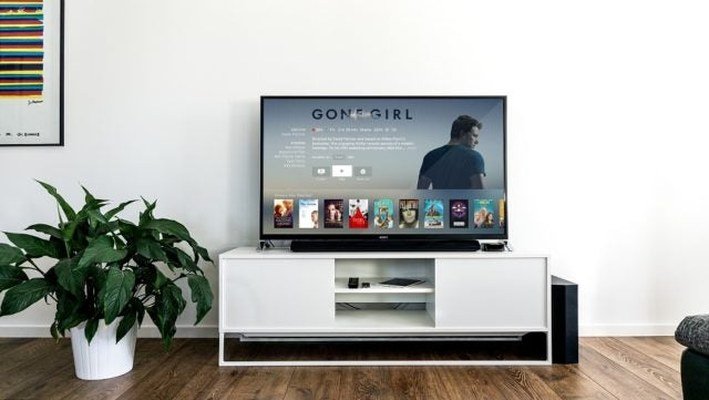
Want CNN, ESPN, and HGTV without renting a $15/month cable box? You have three paths: live TV streaming services ($40–$85/month), individual channel apps, or a $20 antenna for broadcast channels — all without a box from the cable company. Here’s the honest math on each.
How Can I Watch Cable Channels Without a Cable Box?
Option 1: Live TV streaming services. YouTube TV ($73/month), Hulu + Live TV ($77/month), Sling TV ($40–$55/month), and Fubo ($75/month) stream 30–100+ cable channels over the internet to any device — no box, no contract, cancel anytime. Option 2: Channel apps directly. Many networks (HBO Max, Peacock, Paramount+) sell standalone streaming — cheaper if you only want a few channels. Option 3: Antenna + on-demand. A $20–$40 antenna gets ABC, CBS, NBC, FOX, and PBS free in HD — often better quality than cable — paired with cheap on-demand services for the rest.
The Real Cost Comparison
Traditional cable: $80–$150/month + $10–$15/box rental + broadcast fees + contract. YouTube TV: $73/month, all-in, 3 simultaneous streams, unlimited DVR. Sling: $40/month for 30+ channels — the budget pick. Antenna + Netflix + Max: ~$35/month total. The catch nobody mentions: stacking five $10–$15 streaming services to replace cable costs as much as cable did. Audit your stack yearly — most cord-cutters slowly re-bundle into the same bill they fled.
What You Need (Hardware)
- Streaming device: Roku, Fire Stick, Chromecast, or Apple TV ($30–$150) — one per TV. Your smart TV’s built-in apps work too but get sluggish after 2 years.
- Internet speed: 25 Mbps per 4K stream, 10 Mbps per HD stream. A 100 Mbps plan handles a family fine.
- Antenna (optional): Check antennaweb.org for your address — within 30 miles of towers, an indoor antenna works great.
The Sports Fan’s Dilemma
Sports is the hardest cord to cut — regional sports networks (RSNs) are the most expensive channels to replace. Before canceling cable, list which teams you actually watch and check where their games stream: ESPN+ ($11/month) covers out-of-market NHL/MLB; league passes (NBA, NFL Sunday Ticket on YouTube TV) cover the rest; but local blackouts still plague cord-cutters. An antenna solves local NFL/MLB-on-FOX/CBS games free. The brutal truth: if you need your local RSN daily, Fubo or keeping cable may genuinely be cheapest — run the numbers before romanticizing cord-cutting. And if you’re streaming games on hotel Wi-Fi while traveling, our hotel TV guide covers the setup.
Don’t Forget the Free Options
Pluto TV, Tubi, The Roku Channel, and Freevee offer hundreds of free ad-supported channels — surprisingly good for background viewing, old shows, and news. Pair free services + antenna + one paid service and most households are fully covered for under $30/month. Also: your streaming data usage matters if your ISP caps data — 4K cord-cutting can hit 1TB caps.
The FCC’s cord-cutting guide covers your rights and options when ditching cable.
OTA DVR: Recording Antenna TV Like Cable
Antenna + DVR = cable without cable: Options: Tablo ($100–$200 + optional $5/month guide) or HDHomeRun ($100–$200 + Plex) — record over-the-air broadcasts, skip commercials, watch anywhere. What you get: ABC, CBS, NBC, FOX, PBS in full quality (often better than cable’s compressed feed) + DVR + streaming to every device. Total cost: ~$150 one-time + antenna ($30) = $180 for unlimited free TV forever. Compare: cable’s $15/month box rental = $180/year every year. Setup: antenna → DVR box → your network → apps on every TV/phone. Limitation: only broadcast channels (no ESPN) — pair with one streaming service for cable channels. The combo: antenna + Tablo + Sling ($40) = every channel that matters for ~$40/month. Cord-cutting perfected.
Sharing Streaming Services: The Rules (2026)
Password sharing crackdowns are real — know the rules: Netflix: $8/month per extra member (outside household) — enforced via IP/device checks. Disney+: similar extra-member fees rolling out. Max: cracking down, details evolving. What’s still fine: sharing within your household (same address) — explicitly allowed. The math: Netflix Premium $23 + 2 extra members ($16) = $39 for three households — still cheaper than three separate accounts ($69). Alternatives: rotate subscriptions (one service at a time, binge, cancel, next) — the average household watches 3.5 services but pays for 5+. The honest approach: pay for what you use, share within the rules, rotate the rest. The savings: rotation alone cuts most households’ streaming bills 40–60%.
Kids’ Content: The Free Abundance
Kids don’t need cable — the free options are overwhelming: PBS Kids app: free, excellent, no ads — the gold standard. YouTube Kids: free, vast — enable the strictest filters. Tubi/Pluto TV: free kids’ channels. Library: Kanopy (free with library card — 10+ premium kids’ films monthly) + physical DVDs (yes, really — $1 each at library sales). The parental win: no cable news accidents, no inappropriate ads, curated content. What to skip: cable’s kids’ tier ($20+/month for channels padded with ads). Total kids’ entertainment cost: $0 with the library + PBS Kids. Spend the savings on one family streaming service for movie nights — the kids won’t know the difference, but your wallet will.
Internet Requirements: The Real Numbers
What cord-cutting actually needs: Per stream: 5 Mbps (HD), 25 Mbps (4K), with 50% headroom for stability. Household math: 2 HD streams + browsing = 25 Mbps minimum; 2 4K streams + everything else = 100 Mbps comfortable. Upload matters: cloud DVR uploads, video calls during streaming — 10 Mbps up minimum for streamers who work from home. Data caps: 4K cord-cutting can hit 1TB (see our data guide) — check your ISP’s cap before going all-4K. The test: if your current internet handles 2 simultaneous HD streams without buffering, you’re ready. Don’t: upgrade to gigabit “for streaming” — 100 Mbps handles most households; gigabit is for bragging rights (and large downloads).
The Hidden Fees in Your Cable Bill (and How to Fight Them)
The advertised cable price is fiction. The real bill includes broadcast TV fees ($20–$30/month), regional sports fees ($10–$15), box rentals ($10–$15 per TV), and HD technology fees — often adding $40–$70 to the quoted price. These fees have grown far faster than inflation and are the industry’s favorite profit lever.
Fight back: call retention (not regular support) annually and ask for promotions — existing customers who ask routinely get $20–$40/month off. Return rented boxes you don’t need (the streaming app replaces them). Scrutinize the bill line by line; erroneous fees and expired promotions that kept charging are common.
The nuclear option is genuine cord-cutting, but even the threat helps: “I’m considering YouTube TV” is magic language for retention departments. And the FCC now requires providers to show all-in pricing upfront — use it to comparison-shop honestly.
Frequently Asked Questions
Why did my cable bill go up without warning?
Promotional rates expiring (the #1 cause — check your original offer’s end date), broadcast fee increases (providers raise these 1–2x yearly), or added services. Call and ask specifically which line items changed; then negotiate.
Can I buy my own cable modem?
Yes — and you should. ISP modem rentals ($10–$15/month) are pure profit for them. A $100–$150 approved modem (check your ISP’s compatibility list) pays for itself in under a year. (Note: this applies to internet; TV boxes are the separate rental.)
What is the broadcast TV fee?
A pass-through charge for local channels (ABC, CBS, NBC, FOX) that providers itemize separately from the package price — $20–$30/month and rising. It’s not a tax; it’s the provider’s cost, unbundled to make advertised prices look lower.
Do I have to pay for channels I don’t watch?
With traditional cable: yes, bundling is the model. With streaming alternatives: no — Sling’s smaller bundles, FAST services, and à la carte subscriptions let you pay only for what you watch. This is cord-cutting’s core financial argument.
How do I negotiate with my cable company?
Call retention (say ‘cancel service’ to the phone menu), be polite but firm, cite competitor prices specifically, and ask for the retention/promotions department’s best offer. Annual negotiation saves most households $240–$480/year.
Is satellite TV cheaper than cable?
Rarely anymore — Dish/DirecTV satellite pricing now rivals cable, with 2-year contracts and weather-related outages. Streaming alternatives undercut both. Satellite’s remaining niche: rural areas without good broadband.
The bottom line
Sling ($40) for budget, YouTube TV ($73) for the full cable replacement, antenna + on-demand ($35) for the cheapest real setup. Audit your subscriptions yearly to avoid re-bundling, check your sports needs before cutting (RSNs are the trap), and remember the box rental fee you’re already paying is the easiest money you’ll ever save.