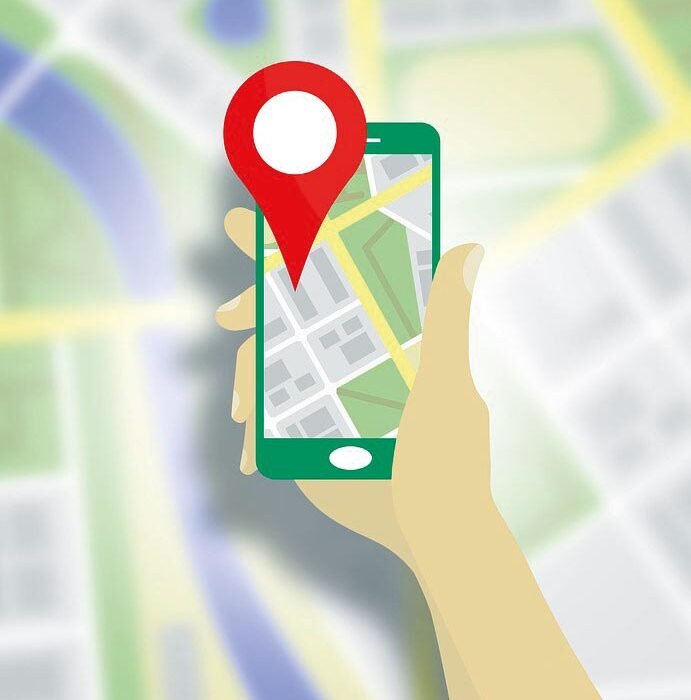
That flashlight app from 2019 knows where you sleep? Your phone has a full audit trail of which apps accessed your location and when — most people are shocked by what they find. Here’s how to check on iPhone and Android, and what to do about the offenders.
How Do I Check Which Apps Are Tracking My Location?
iPhone: Settings → Privacy & Security → Location Services — every app is listed with its permission level (Never / Ask / While Using / Always). A small arrow icon shows which apps recently used your location: hollow arrow = used in last 24h, solid purple = currently using, solid gray = used recently. Android: Settings → Location → Location services → Google Location History / App location permissions — shows each app’s access level and recent usage timeline.
The Offenders to Look For
- “Always” permission apps that don’t need it: Shopping apps, games, and social media with Always location — demote to “While Using” or “Never.” No game needs your location at 3 AM.
- Weather apps with “Always”: They claim it’s for background updates — “While Using” plus manual refresh works fine.
- Pre-installed bloatware: Carrier and manufacturer apps often have broad location access you never granted consciously. Restrict them.
- Apps you deleted but… — check that deleted apps’ system-level permissions are actually gone (they should be, but verify after major OS updates).
The Photo Metadata Leak (Most People Miss This)
Here’s the tracker hiding in plain sight: every photo you take embeds GPS coordinates (EXIF data). Share a photo online and anyone can extract exactly where it was taken — your home, your kids’ school. iPhone: Camera settings → toggle off Location for the Camera app, or share via “Options → Location: Off” per-photo. Android: Camera settings → “Location tags” off. Social media: Instagram/Facebook strip EXIF on upload (good), but messaging apps and email don’t always — check before sending sensitive photos. This single setting prevents more real-world location exposure than any app permission audit.
Lock It Down: The 10-Minute Audit
- Open location settings and demote every “Always” to “While Using” except navigation, Find My, and smart-home apps.
- Set “Never” for games, shopping, and anything that can’t justify location.
- Disable location for your camera (or strip on share).
- Turn off Significant Locations (iPhone: Privacy → Location → System Services) / Location History (Android) unless you use Timeline features.
- Check quarterly — app updates sometimes re-request permissions.
For the broader picture of how location gets misused, see why your location shows wrong — the same systems, different failure mode.
System Services: The Hidden Trackers
Beyond apps, the OS itself tracks you: iPhone: Settings → Privacy → Location Services → System Services — review: Significant Locations (a log of everywhere you’ve been — clearable, disableable), iPhone Analytics, Routing & Traffic, and “Improve Maps.” Disable: everything except Find My iPhone, Emergency Calls, and Cell Network Search. Android: Settings → Location → Location Services — Google Location History (Timeline), Wi-Fi/Bluetooth scanning (disable — used for tracking even with GPS off), and Emergency Location Service (keep this one). The big one: Google Timeline / iPhone Significant Locations is a minute-by-minute diary of your movements — convenient, comprehensive, and a subpoena away from anyone’s eyes. Your call whether the convenience justifies the record.
What Apps Do With Your Location (The Business Model)
Your location is worth ~$0.50–$2 per user monthly to data brokers — here’s the chain: 1) Free apps embed location SDKs (X-Mode, Cuebiq) that harvest coordinates. 2) Brokers aggregate — combining your movements across hundreds of apps into a single profile. 3) Buyers purchase: advertisers (targeted ads), hedge funds (foot traffic analysis), law enforcement (warrantless purchases — the legal gray area), and anyone with a credit card. Real consequences: the data has outed military personnel, revealed clinic visits, and tracked protesters. Your defense: the permission audit (this guide) + deny location to free apps that don’t need it — if the app is free and wants “Always” location, you are the product. Support: the FTC has fined location-data abusers — report egregious cases.
Travel Privacy: Location OpSec
Traveling? Your location habits need a travel mode: 1) Disable Significant Locations/Timeline for the trip — no permanent record of your movements. 2) Camera geotagging off (see the photo metadata section) — vacation photos posted live tell burglars you’re away. 3) Social media: post vacation photos after you’re home, not during — the #1 travel burglary vector is real-time location sharing. 4) Ride-share/taxi apps: restrict to “While Using” — they don’t need your location at 3 AM. 5) Hotel Wi-Fi: use a VPN — see our public Wi-Fi guide. The principle: your normal location profile is already detailed — travel shouldn’t add a high-resolution supplement.
Location Data Brokers: Opting Out
You can reduce your broker footprint: Know the players: X-Mode (now Outlogic), Cuebiq, SafeGraph, Veraset — they buy location from app SDKs. Opt out: visit each broker’s opt-out page (search “[broker] opt out”) — legally required in California (CCPA) and increasingly elsewhere. The nuclear option: delete the worst offender apps (free flashlight/weather/games with “Always” location) — no data generated, nothing to broker. What opting out does: removes your historical data and stops future collection by that broker — not all of them. What it doesn’t: stop first-party collection (Google/Apple still have your Timeline/Significant Locations — manage those separately). Realistic expectation: reduce, not eliminate — the data economy is vast. Every opt-out helps; the permission audit (this guide) helps more.
The Quarterly Privacy Review (15 Minutes)
Calendar this every 3 months: 1) Location audit (this guide — 5 min). 2) App permissions review (Settings → Privacy → check camera, microphone, contacts — 5 min). 3) Shared links audit (cloud sharing — revoke old ones — 3 min). 4) Password check (haveibeenpwned.com — 2 min). Total: 15 minutes quarterly for comprehensive digital hygiene. Pair it with: the storage audit (see our storage guide) — same day, full device health. What you’ll catch: permission creep (updates re-request), forgotten shares, and the occasional breach. 15 minutes quarterly prevents 15 hours of incident response.
Location Data Brokers: The Hidden Industry
There’s a multi-billion-dollar industry you never signed up for: data brokers buying precise location data from apps and selling it to advertisers, hedge funds, government agencies, and anyone else with a budget. Investigations have shown this data — supposedly “anonymized” — can identify individuals trivially (home + work locations uniquely identify most people).
How does your data get there? Free apps with location permissions (weather, games, shopping) sell or share location to SDKs embedded by data brokers. The app is free because your movements are the product. The FTC has taken enforcement action against egregious sellers, but the industry largely operates in a regulatory gray zone.
Your defenses: the app permission audit (revoke ruthlessly), disabling precise location where approximate suffices, avoiding free apps from unknown developers that request location, and supporting privacy legislation. Individual action helps; systemic regulation is the real fix.
Frequently Asked Questions
Which apps sell my location data?
Historically: many free weather apps, games, shopping apps, and utilities with no legitimate need for precise location. Check an app’s privacy policy for ‘sharing with third parties’ and ‘advertising partners’ — vague language usually means selling.
Is anonymized location data really anonymous?
No — researchers consistently re-identify individuals from ‘anonymized’ location datasets using home/work patterns. With just a few location points, most people are uniquely identifiable. Anonymization of location data is largely a fiction.
Can I request deletion of my location data?
Under laws like California’s CCPA, yes — you can request deletion from data brokers. Services like DeleteMe ($130/year) automate opt-outs across dozens of brokers. It’s whack-a-mole, but it reduces exposure.
Does Apple/Google sell my location?
Apple doesn’t sell location data (their business model is hardware). Google uses location for its own advertising but doesn’t sell raw location feeds to third parties the way brokers do. The brokers get data from third-party apps, not the OS makers.
Are paid apps safer for privacy?
Generally yes — paid apps don’t need data monetization, though some still collect. Check permissions regardless of price; a paid app requesting unnecessary location deserves the same skepticism.
What laws protect location privacy?
In the US: a patchwork — CCPA (California), FTC enforcement actions, and emerging state laws. No comprehensive federal law yet. The EU’s GDPR is stronger. This regulatory gap is why the broker industry thrives.
The bottom line
Audit Location Services today: demote “Always” to “While Using,” kill camera geotagging, and restrict the bloatware. Ten minutes, done quarterly, keeps your location yours. The apps that complain loudest about losing location are usually the ones that wanted it least legitimately.