Toggle one setting and a game’s lighting transforms: reflections appear in puddles, sunlight streams realistically through windows, shadows soften like the real world. That setting is ray tracing, and it represents the biggest leap in game graphics in a decade — along with the biggest performance cost. If you want to learn where can I learn about ray tracing from scratch, this is your starting point: what it is, why it looks so good, why it melts frame rates, and whether you should actually turn it on.
The core idea is beautifully simple: ray tracing simulates light the way light actually works. Instead of faking lighting with tricks and approximations (which is what games have done for decades), it traces the paths of individual light rays as they bounce around the scene. The result is lighting, reflections, and shadows that behave like the real world — because they are computed like the real world. The catch is that reality is computationally expensive.
How It Works: Rays, Bounces, and Noise
In the real world, light leaves a source, bounces off surfaces (losing energy and picking up color with each bounce), and some of it reaches your eyes. Ray tracing reverses this: for each pixel on screen, it casts a “ray” into the scene and follows its bounces, calculating what light arrives. One bounce gives direct lighting; two or three bounces give realistic indirect light — the soft glow in a shadowed corner that comes from light bouncing off a nearby wall.
The problem is noise. Truly simulating light requires thousands of rays per pixel; games cast a handful, producing a grainy, noisy image. Denoising algorithms — increasingly AI-powered, like NVIDIA’s DLSS Ray Reconstruction — clean up that noise in real time. This is why ray tracing only became feasible recently: it took dedicated hardware (RT cores) plus AI denoising to make it run at playable frame rates. The Khronos Group, which maintains the open graphics standards behind much of this technology, documents how these techniques evolved from film rendering — where a single frame could take hours — to real-time.
What Ray Tracing Actually Improves
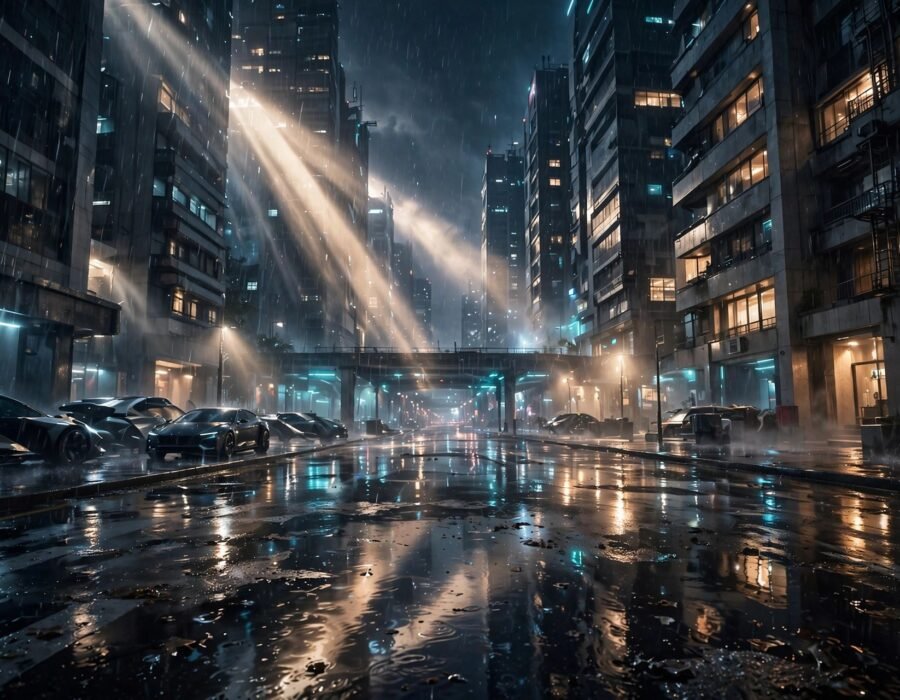
Not all ray tracing is equal, and games implement it piecemeal. Ray-traced reflections are the most dramatic: puddles, windows, and metal that mirror the actual scene instead of a blurry approximation. Ray-traced shadows are softer and more accurate, with realistic penumbra (the soft edge of real shadows). Ray-traced global illumination — bounced light — is the subtlest and arguably most transformative: rooms feel lit by their actual light sources rather than by invisible fill lights.
Then there is path tracing, the full version: every light effect computed with rays. A few showcase games offer it, and the results are staggering — but so is the cost, often halving frame rates or worse. Most games use hybrid rendering: traditional rasterization for the basics, ray tracing for selected effects. When evaluating the visual difference, the best video games for casual players rarely need ray tracing at all — the improvement is most visible in slow, atmospheric games where you actually stop to look at the lighting.
The Performance Tax
Ray tracing typically costs 30–50% of your frame rate, sometimes more. A game running at 100 fps might drop to 55 with full ray tracing enabled. This is why upscaling technologies (DLSS, FSR, XeSS) are now bundled with it: render at lower resolution, upscale with AI, spend the saved performance on rays. The combination — ray tracing plus AI upscaling — is the current state of the art, and it is genuinely impressive. But on modest hardware, the trade is brutal: prettier lighting or smooth gameplay, pick one.
Should You Turn It On?
It depends on your hardware and your priorities. On high-end GPUs (RTX 4070 and above, roughly), ray tracing at 1440p with upscaling is very playable and visibly better in supported games. On mid-range cards, use it selectively — reflections in a game built around water and glass, shadows in a horror game — and keep it off in competitive shooters where frame rate is king. On consoles, the “quality mode versus performance mode” choice is exactly this trade-off made explicit.
Consider the game, too. Ray tracing shines in games with complex lighting — cyberpunk cities at night, sun-dappled forests, interiors with mixed light sources. In bright, stylized, or fast-moving games, you will barely notice it while playing, so save the frames for smoother gameplay instead. The NSF-funded computing research behind real-time rendering advances keeps pushing the efficiency frontier, but the fundamental trade — accuracy costs performance — is physics, not engineering, and it is not going away. Console players weighing hardware should also remember why game consoles are sometimes hard to find — ray-tracing-capable hardware has driven demand cycles of its own.
Ray Tracing on Consoles vs. PC
Consoles democratized ray tracing — both current-gen systems support it — but with tighter limits than PC. Console implementations typically use lower ray counts, simpler effects (usually shadows or reflections, rarely full global illumination), and lean heavily on upscaling. The “quality vs. performance mode” toggle on consoles is the ray tracing decision made explicit: 30fps with rays or 60fps without. PC offers granularity — per-effect toggles, path tracing showcases, DLSS/FSR options — at the cost of complexity and a much bigger bill. For most players, the console implementation delivers 80% of the visual wow at a fraction of the cost, which is why the technology’s future is as much about consoles as high-end PCs.
The Bottom Line
Ray tracing simulates real light behavior — reflections, soft shadows, bounced illumination — at the cost of 30–50% of your frame rate, made playable by dedicated hardware and AI denoising. Turn it on for atmospheric single-player games on capable hardware; turn it off for competitive play or modest GPUs. It is the future of game graphics, arriving gradually: each generation makes the tax smaller and the beauty harder to turn off. Enjoy it where it shines, and disable it without guilt where it does not.
Frequently Asked Questions
What is the difference between ray tracing and path tracing?
Ray tracing in games usually means selected effects (reflections, shadows) computed with rays, mixed with traditional rendering. Path tracing computes all lighting with rays — more accurate and beautiful, but far more expensive. Path tracing is ray tracing taken to its logical extreme.
Does ray tracing work on all graphics cards?
Technically it can run on any modern GPU, but playable performance requires hardware with dedicated ray-tracing acceleration (NVIDIA RTX, AMD RDNA 2+, Intel Arc, or current consoles). Without RT hardware, frame rates collapse to unplayable levels in most implementations.
Is ray tracing worth the FPS loss?
For slow-paced, atmospheric games on capable hardware: often yes, especially with AI upscaling recovering the frame rate. For competitive multiplayer: no — frame rate and responsiveness matter more than lighting. It is a per-game, per-player judgment call.
What is DLSS and how does it relate?
DLSS (Deep Learning Super Sampling) is NVIDIA’s AI upscaling: it renders the game at lower resolution, then reconstructs a high-resolution image. It recovers the performance ray tracing consumes, and newer versions also denoise ray-traced effects. AMD’s FSR and Intel’s XeSS do similar jobs cross-platform.