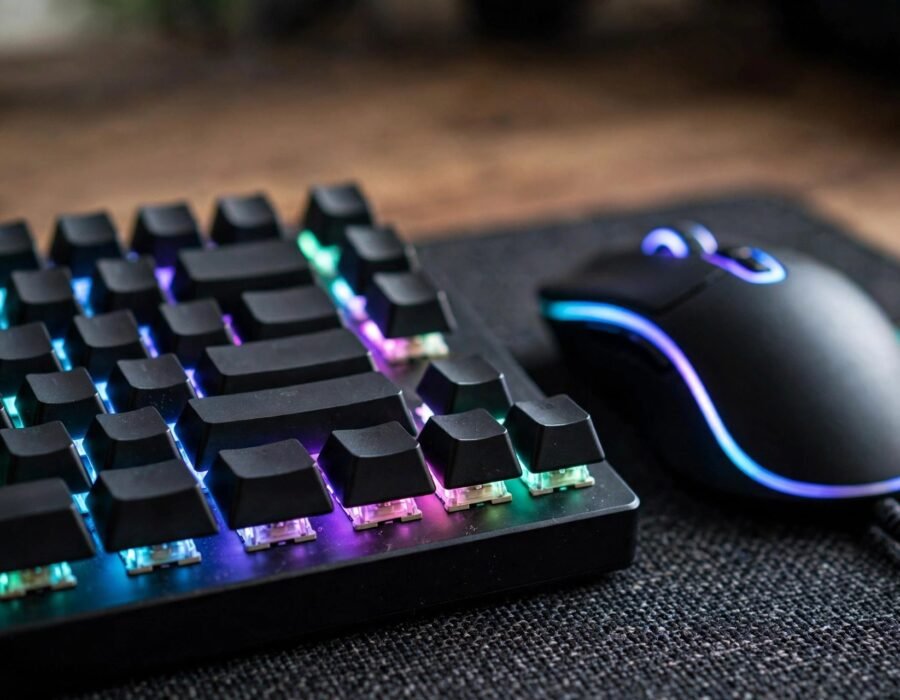
Walk into any gaming setup tour and you will see it: a keyboard glowing like a miniature city, keys clacking with a sound enthusiasts describe the way wine lovers describe tannins. Gaming keyboards are a $2 billion market built on the premise that your keyboard matters. If you are asking why should I care about gaming keyboards in the US — or anywhere — the honest answer is nuanced: for most players they are a luxury, for some they are a genuine competitive edge, and for everyone they are a rabbit hole of surprising depth. Here is what actually matters and what is marketing.
A gaming keyboard differs from a regular one in a few key ways: mechanical switches (individual spring-loaded mechanisms per key instead of a rubber membrane), anti-ghosting and N-key rollover (registering many simultaneous keypresses correctly), faster polling rates and response times, and programmability (macros, per-key lighting, profiles). Some of these matter enormously; some matter not at all. Knowing which is which saves you $150.
Mechanical Switches: The Heart of the Matter
Standard office keyboards use rubber domes: mushy, inconsistent, and slow to reset. Mechanical switches give each key its own mechanism with precise, consistent actuation. The main families: linear switches (smooth press, preferred for fast-paced gaming — Cherry MX Red and equivalents), tactile switches (a bump you feel at the actuation point — MX Brown), and clicky switches (tactile plus an audible click — MX Blue, beloved by typists and hated by everyone in the same room).
Does it matter for gaming? For competitive play, yes — modestly but really. Consistent actuation force means fewer mispresses; faster reset means quicker repeated inputs; the tactile feedback improves timing. The difference between a $30 membrane keyboard and a $100 mechanical one is genuinely noticeable. The difference between a $100 and a $250 board is mostly feel, sound, and aesthetics — real to enthusiasts, invisible to everyone else. If you are still deciding what kind of player you are, the best video games for casual players do not demand mechanical precision, and a decent membrane board is honestly fine.
What Actually Affects Performance
Ranked by real impact: N-key rollover and anti-ghosting matter most — cheap keyboards physically cannot register certain key combinations (try pressing W, A, Shift, and Space simultaneously on a bad board), which directly breaks gameplay. Polling rate matters next: standard keyboards report 125 times per second (8ms); gaming boards poll at 1000Hz (1ms). The 7ms difference is real but tiny — noticeable to pros, irrelevant to most.
Then come the genuinely marginal gains: optical switches (light-based actuation, slightly faster), Hall effect switches (adjustable actuation points — set how far a key travels before registering), and sub-1ms “rapid trigger” features. These are the Formula 1 parts of keyboards — measurable in labs, meaningful to the top 1%, invisible to everyone else. Marketing presents them as essential; physics says they are the last 2%. Buy them if you love the hobby, not because they will fix your rank. And remember that even the finest switches cannot compensate for poor posture — OSHA’s computer workstation guidance covers the setup basics that prevent wrist pain, and ergonomics come first, exotic hardware second.
The Sound Rabbit Hole
A whole subculture obsesses over keyboard acoustics — the “thock” versus “clack” debate, lubricated switches, foam dampening, custom keycaps. It is the mechanical-watch world of gaming: objectively unnecessary, subjectively delightful, and endlessly debated in forums at 2 a.m. There is nothing wrong with loving the sound of your tools. Just recognize it as hobby enjoyment, not performance investment — a $40 set of keycaps changes nothing about your gameplay and everything about your desk’s vibe.
What to Actually Buy
For most gamers: a reputable mechanical keyboard in the $80–130 range with linear or tactile switches (try both if possible — preference is personal), N-key rollover, and a layout you like. Full-size, tenkeyless (no numpad), and 75% layouts each have devotees; smaller boards free mouse space, which matters for low-sensitivity aiming. Wireless gaming keyboards are now genuinely good — 2.4GHz connections match wired latency — so cable hatred is no longer a performance sacrifice.
Avoid: keyboards marketed primarily on lighting (RGB does not improve aim), “gaming” membrane keyboards (the worst of both worlds), and anything promising rank improvements. Check return policies — switch feel is subjective and specs cannot convey it. And consider your household: clicky switches in a shared apartment are a relationship hazard. The Consumer Product Safety Commission occasionally weighs in on electronics safety standards, a reminder that even peripherals deserve reputable manufacturers. When friends come over to play, by the way, planning a fun game night with friends matters more than anyone’s switch type.
The Ergonomics Factor
The most underrated keyboard spec is comfort over long sessions. Wrist angle, keycap profile, keyboard height, and tenting all affect strain during multi-hour gaming — and no switch type compensates for a setup that hurts. Ergonomic basics: keep wrists straight and floating (not planted on a wrist rest while typing — rests are for breaks between typing), position the keyboard so elbows rest near 90 degrees, and take micro-breaks. Split and tented keyboards exist for gamers with wrist issues, and they are worth trying before the pain becomes chronic. The fastest keyboard in the world is worthless if it injures the hands using it.
The Bottom Line
Gaming keyboards matter at the margins that matter: mechanical switches and proper rollover genuinely improve consistency and feel over cheap membrane boards, and the $80–130 range captures nearly all the real benefit. Beyond that you are buying hobby enjoyment — sound, aesthetics, exotic switches — which is a fine purchase as long as it is honest about what it is. Your rank is decided by decisions, not devices. But your daily experience of every keypress? That is worth $100 to get right — thousands of keypresses per session deserve good switches. Your fingers do the work; give them good tools. And when the typing is done, game on — comfortably.
Frequently Asked Questions
Are mechanical keyboards really better for gaming?
Yes, meaningfully over cheap membrane boards: more consistent actuation, faster key reset, and proper N-key rollover for simultaneous presses. The jump from $30 membrane to $100 mechanical is real; the jump from $100 to $250 is mostly feel and aesthetics.
What switch type is best for gaming?
Linear switches (like Cherry MX Red) are the most popular for gaming — smooth, fast, no tactile bump to slow repeated presses. But it is personal: many players prefer tactile switches. Try both before committing, since preference varies enormously.
Do I need a $200+ keyboard to be competitive?
No. Professional players win on $100 boards regularly; some prefer them. Beyond proper mechanical switches and rollover, extra cost buys diminishing returns. Spend the difference on games, or on an actually impactful upgrade like a higher-refresh monitor.
Are wireless gaming keyboards good now?
Yes — modern 2.4GHz wireless gaming keyboards match wired latency for practical purposes, and battery life now spans weeks to months. Bluetooth mode adds latency and is fine for typing but not ideal for competitive play. The cable is no longer mandatory.
How do I clean a mechanical keyboard?
Remove keycaps with a puller, shake out debris, wipe the plate with a slightly damp cloth, and clean keycaps in warm soapy water (dried thoroughly). Avoid harsh chemicals. A five-minute cleaning every few months keeps switches feeling new for years.