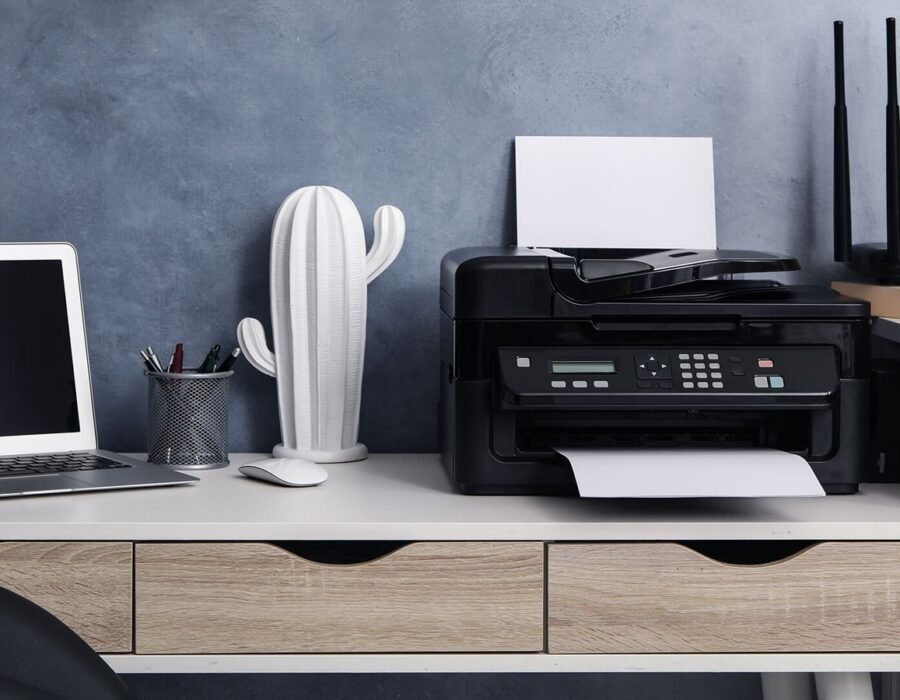
Need to print from your phone but the printer feels like 2005 technology fighting 2026 phones? The modern method: connect the printer to your Wi-Fi once, then use AirPrint (iPhone) or the manufacturer’s app (Android) — no cables, no computer middleman. Here’s the full setup.
How Do I Set Up a Home Printer With My Phone?
Step 1: Get the printer on your Wi-Fi — use the printer’s touchscreen (Settings → Network → Wi-Fi Setup) or the WPS button method (press WPS on router, then WPS on printer within 2 minutes). Step 2 (iPhone): That’s it — AirPrint works automatically. Open any document → Share → Print → select your printer. Step 2 (Android): Install your printer brand’s app (HP Smart, Canon PRINT, Epson iPrint) or enable “Default Print Service” in Settings → Connected devices → Printing.
When AirPrint “Can’t Find” Your Printer
The #1 issue: phone and printer on different networks — usually the phone on 5GHz and the printer on 2.4GHz, with the router isolating them. Fixes: make sure both are on the same Wi-Fi network name, disable “AP isolation” / “client isolation” in router settings, and restart both devices. Also check the printer didn’t fall asleep — wake it with the power button before printing. If your router creates separate “Guest” networks, the printer must be on the main one.
Printing Without Wi-Fi
- Wi-Fi Direct: Most modern printers broadcast their own network (like “DIRECT-HP-Printer”) — connect your phone to it directly and print. No router needed.
- USB cable: Android phones support USB OTG printing with the right adapter — clunky but works.
- Email-to-print: HP printers have an email address — email documents to it from anywhere. Great for printing to home while traveling.
Should You Even Own a Printer in 2026?
Honest question worth asking: inkjet printers are a scam-shaped object — $60 printer, $80 ink refills, clogged heads if you don’t print monthly. If you print rarely, use a library, FedEx Office, or UPS Store ($0.10–$0.50/page) instead. If you print regularly, buy a monochrome laser printer (Brother HL series, ~$120) — toner lasts thousands of pages, never dries out, costs pennies per page. I’ve owned the same Brother laser for 8 years with total consumable costs under $60. For a home business, a laser printer is practically mandatory equipment.
Printer Security: Your Printer Is a Network Risk
Printers are the most insecure device in most homes — and nobody patches them. The risks: default admin passwords (admin/admin on millions of printers), unencrypted print jobs traveling your network, stored copies of everything you’ve printed on the internal drive, and printers happily joining botnets (Mirai variants love them). Lock it down: 1) Change the admin password (printer’s web interface — type its IP address in a browser). 2) Disable services you don’t use (fax, cloud printing, Wi-Fi Direct if unused). 3) Update firmware (check yearly — printer vendors do patch, eventually). 4) Put it on the guest/IoT network — segmented from your computers (see our router guide). Selling/donating? Factory reset it — printers store printed documents on internal drives. Nobody hacks printers for fun — they hack them as a foothold into your network. Five minutes of setup closes the door.
Scanning With Your Phone (Better Than Most Scanners)
Your phone outscans most flatbeds for documents: iPhone: Notes app → camera → “Scan Documents” — auto-crops, de-skews, and saves as PDF. Android: Google Drive → camera icon → same magic. For receipts: dedicated apps (Adobe Scan, Microsoft Lens — both free) with OCR that makes receipts searchable. Quality tips: flat surface, even lighting (near a window, no shadows), phone parallel to the document. When you need the real scanner: photos/artwork (flatbed quality matters), multi-page contracts (ADF feeders win), and anything requiring 600 DPI. The workflow: phone-scan everything routine; the printer’s scanner gathers dust until the exception. Go paperless: scan → cloud storage (guide) → shred the original. The filing cabinet is dead; your phone killed it.
The Ink Subscription Trap (Read Before You Sign)
HP Instant Ink and similar subscriptions: $1–$12/month for ink mailed to you. The math: if you print 50+ pages/month, subscriptions often beat retail ink — sometimes dramatically. The traps: 1) Pages don’t roll over (most plans) — use 10 of your 50 pages? You paid for 50. 2) Canceling can brick your cartridges — HP’s subscription cartridges stop working when you cancel (you’re renting, not buying). 3) The printer phones home — usage monitoring is mandatory. Who it’s for: consistent moderate printers (families, home offices). Who should skip: sporadic printers (the home business printing 200 pages one month, 5 the next). The alternative remains: a Brother laser — no subscription, no dried ink, no drama.
Printing From Anywhere (Cloud Printing)
Print to home from anywhere in the world: HP ePrint: every networked HP printer has an email address — email documents to it from anywhere (see the email-to-print section). Brother/Canon/Epson: similar cloud services via their apps. Google Drive: “Print” from the Drive app routes to any configured printer. Use cases: print boarding passes before you land, send documents to a home printer for family, print from the office to home. Security note: disable cloud printing if you don’t use it (it’s an internet-exposed service on your printer — see the security section). The setup: register the printer with the manufacturer’s cloud service once — 10 minutes. Print from a beach in Bali to your desk in Ohio — the future is weird and wonderful.
Printer Troubleshooting Cheat Sheet
Tape this to the printer: Not found? Same Wi-Fi network (not guest), printer awake, restart both. Prints blank? Ink/toner levels, printhead cleaning cycle, paper loaded correctly. Streaky? Alignment page, printhead cleaning (inkjet) or toner redistribute (laser). Paper jam? Power off, pull with the paper path (never against), check for torn scraps. Offline? Delete and re-add the printer (fixes 80% of “offline” ghosts). Slow? Draft mode for everyday, high quality only when it matters. When to call support: error codes that persist after a power cycle — note the exact code. 90% of printer problems are connectivity, empty consumables, or jams — this sheet covers all three.
Google’s printer setup documentation covers Android’s Default Print Service in detail — including the manual IP setup that rescues printers the automatic discovery misses. Bookmark it for the day your printer vanishes from the device list.
Why Printers Are Still Terrible in 2026
Printers remain the most complained-about tech product because the business model is hostile: manufacturers sell hardware at or below cost, then profit from ink/toner cartridges priced like liquid gold. This incentivizes cheap, failure-prone hardware and aggressive cartridge DRM — including firmware updates that brick third-party cartridges.
The technology itself is mature — a 2015 laser printer prints as well as a 2026 one. What’s changed is connectivity: Wi-Fi setup, AirPrint, and cloud printing removed the old driver nightmares. The remaining pain points are almost all ink-related: dried cartridges, “low ink” warnings with ink remaining, and subscription ink programs (HP Instant Ink) that can disable your cartridges if you cancel.
The rational response: buy a monochrome laser, use it for years, ignore the inkjet upsells. The printer industry’s dysfunction is a reason to own the simplest adequate machine, not the fanciest.
Frequently Asked Questions
Why does my printer say ‘offline’ when it’s on?
Usually a network hiccup — the printer got a new IP address or dropped Wi-Fi. Restart the printer, then restart your router if needed. Assigning a static IP in router settings prevents recurrence.
Are third-party ink cartridges safe to use?
They work but with caveats: print quality varies, and manufacturers push firmware updates that block them. For laser printers, third-party toner is well-established and safe. For inkjets, it’s a gamble — weigh savings against potential headaches.
Why is printer ink so expensive?
The razor-and-blades model: cheap printers subsidized by cartridge profits. A gallon of printer ink costs more than vintage champagne by volume. Laser toner is far more economical per page — another reason to buy laser.
What is HP Instant Ink and is it worth it?
A subscription ($1–$25/month) where HP mails cartridges based on your printing. Convenient for consistent printing, but pages don’t roll over on cheap plans, and canceling can disable cartridges remotely. Do the math on your actual volume.
How do I print double-sided?
Most modern printers support automatic duplex — enable ‘Print on both sides’ in the print dialog. Manual duplex (reinserting pages) works on basic models; the dialog guides you. Duplexing halves paper costs.
My printer prints blank pages. What’s wrong?
Usually clogged print heads (inkjet) — run the cleaning cycle from the printer’s maintenance menu 2–3 times. If persistent, cartridges may be empty despite showing ink, or (rarely) the print head has failed.
The bottom line
Wi-Fi setup once, then AirPrint/app printing forever. When it can’t find the printer, check the network mismatch first. And seriously consider whether a $120 Brother laser (or the library down the street) beats feeding an inkjet — for most households, the inkjet is the most expensive “cheap” printer ever sold.