A dash cam is one of those purchases that feels optional until the afternoon someone rear-ends you at a light and then tells their insurer a completely different story. At that moment, a $100 camera becomes the most valuable thing in your car. But the market is chaos: hundreds of models, specs that sound impressive and mean nothing, and reviews that read like they were written by the manufacturers. Choosing a dash cam worth installing is less about finding the “best” one and more about matching the right features to how you actually drive.
Here’s a practical framework — how long the decision should take, what specs genuinely matter, and the traps to skip.
How Long Should This Decision Take?
Honest answer: a focused buyer can go from zero to installed in one weekend. Give yourself an evening of research (60–90 minutes), an hour to compare two or three finalists, and 30–60 minutes for installation. The people who agonize for weeks usually get stuck comparing specs that don’t affect real-world performance — like chasing 4K resolution on a camera with a terrible lens.
The decision gets longer only if you want a multi-channel setup (front + rear + cabin cameras for rideshare drivers) or hardwired parking-mode installation, which may involve a fuse-tap kit or a professional installer. For a standard front-facing camera, this is a same-week project, not a research saga.
The Specs That Actually Matter
Video quality: 1440p is the sweet spot
Resolution matters for one reason: reading license plates. In daylight, most decent 1080p cameras can do it at close range; 1440p (QHD) gives you a meaningfully better chance at distance and in marginal light. 4K sounds better but often comes with trade-offs — larger files, more heat, and processors that overheat and shut down in summer. Unless you’re buying a premium model with a proper heat-tolerant design, 1440p from a reputable brand beats cheap 4K every time.
What matters more than the resolution number: the image sensor (Sony STARVIS sensors are the gold standard for night performance), the lens aperture (f/1.8 or wider gathers more light), and honest bitrate. A high-bitrate 1080p recording preserves more detail than a heavily compressed “4K” file.
Night performance
Most incidents worth recording — hit-and-runs in parking lots, late-night collisions — happen in poor light. Look for cameras with Sony STARVIS or STARVIS 2 sensors and check night sample footage, not marketing stills. If a review doesn’t show real night video, that’s a red flag.
Field of view: 140–160 degrees
Wider isn’t always better. Beyond about 160 degrees, the fisheye distortion makes plates at the edges unreadable. The 140–160 degree range captures adjacent lanes without turning everything into a funhouse mirror.
Parking mode and power
Parking mode records while your car is off — motion or impact-triggered. It’s the feature that catches the parking-lot door ding and the 2 a.m. sideswipe. But it needs power: either a hardwire kit tapped into your fuse box (with a voltage cutoff so it doesn’t drain your battery) or an external battery pack. Capacitor-based cameras handle heat far better than battery-based ones — in Arizona or Texas summers, a lithium battery in a windshield camera is a swelling, failing liability. This is a genuine safety consideration, not a footnote.
Storage: loop recording and card endurance
Dash cams record in loops, overwriting the oldest footage. A 128GB high-endurance microSD card holds roughly 8–12 hours at 1440p — plenty. Do not use a standard phone-grade card; the constant rewrite cycles kill them in months. Buy “high endurance” or “max endurance” cards rated for dash cam use, and format the card in the camera monthly.
Features Worth Paying For (and Ones to Skip)
Worth it: GPS (embeds speed and location — invaluable in disputes, though be aware it also records your speed), Wi-Fi/app connectivity for pulling footage without removing the card, and a buffered parking mode that saves the seconds before an impact.
Situational: dual-channel (front + rear) is worth it if you do a lot of highway driving or rideshare work — rear-end collisions are the most common crash type. Cabin cameras matter mainly for Uber/Lyft drivers.
Skip: lane-departure warnings and forward-collision alerts on dash cams are gimmicks — your car’s own systems (if equipped) do it better. “Cloud” features that require subscriptions rarely justify the fee. And touchscreen displays add cost and heat for something you’ll look at twice a year.
What Should You Spend?
The value curve is clear: $60–$100 gets you a competent single-channel 1080p/1440p camera from a known brand (think Viofo, Garmin, Nextbase). $150–$250 buys excellent 1440p–4K with strong night performance and reliable parking mode. Beyond $300 you’re paying for dual/triple channels or premium build quality. Below $50, you’re gambling — the footage might be there when you need it, or the camera might have died of heatstroke in July.
For context on the total cost of car ownership decisions like this, it’s worth knowing what renting a car for a week typically costs — a dash cam that documents a not-at-fault accident can easily save you a deductible worth many times its price.
Installation: Easier Than You Think
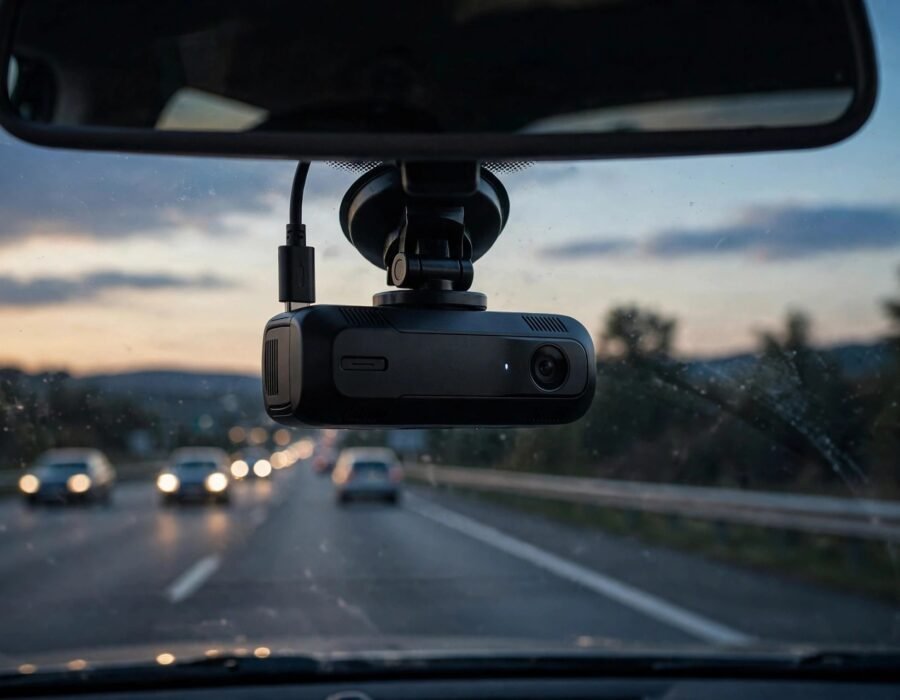
Most dash cams mount with an adhesive pad behind the rearview mirror and power from the 12V outlet, with the cable tucked along the headliner and A-pillar trim — no tools beyond a plastic trim tool (often included). The whole job takes 20–40 minutes. Hardwiring for parking mode is the step up: a fuse-tap kit ($15–$25) plus identifying a constant-power and an accessory fuse. If your fuse box intimidates you, a car-audio shop will do it for $75–$150.
Legal notes: dash cams are legal in all 50 states for personal use, but audio recording falls under wiretapping laws — about a dozen states require all-party consent for audio. Many drivers simply disable audio recording. Also check windshield obstruction laws; some states restrict where you can mount anything on the glass.
The 2026 Shortlist Approach
Rather than naming models that’ll be outdated by next year, here’s the filter that works: pick a brand with a real warranty and US support presence (Viofo, Garmin, Nextbase, Thinkware, BlackVue), require capacitor power and a Sony STARVIS sensor, confirm genuine night sample footage exists, and buy the high-endurance card separately. Any camera passing that filter is worth installing.
And once it’s up, think about where you’ll actually drive — drivers planning the best road trip routes in the US get disproportionate value from a dash cam, since long highway stretches are where surprising incidents happen far from witnesses.
Conclusion
Choosing a dash cam worth installing takes an evening of research, not a month. Prioritize a Sony STARVIS sensor and capacitor power over headline resolution numbers, spend $100–$250 for the sweet spot, use a high-endurance card, and disable audio if your state requires all-party consent. The goal isn’t the perfect camera — it’s a reliable witness that works on the worst day of your driving year.
Frequently Asked Questions
How long does it take to choose and install a dash cam?
Most buyers need one evening of research (60–90 minutes) plus 30–60 minutes for a basic windshield-mount install. Hardwired parking-mode setups add time or a professional install appointment.
Is 4K worth it in a dash cam?
Usually not at budget prices. A quality 1440p camera with a Sony STARVIS sensor and high bitrate captures plates better than a cheap 4K camera with poor heat tolerance and heavy compression. Only premium 4K models are worth the premium.
Are dash cams legal in all states?
Video recording is legal everywhere for personal use, but audio recording is restricted in about a dozen all-party-consent states. Windshield mounting positions are also regulated in some states — mount behind the rearview mirror to stay safe.
Do I need parking mode?
If your car sits in public lots or on the street, yes — it’s the feature that catches hit-and-runs while parked. It requires hardwiring or a battery pack, and capacitor-based cameras are strongly preferred in hot climates.
How often should I replace the memory card?
High-endurance cards last 2–5 years of continuous loop recording. Format the card in the camera monthly, and replace it at the first sign of corrupted files — a dead card means no footage when it counts.
Authority sources: NHTSA on crash avoidance technology and the FTC’s consumer guidance on auto products.