
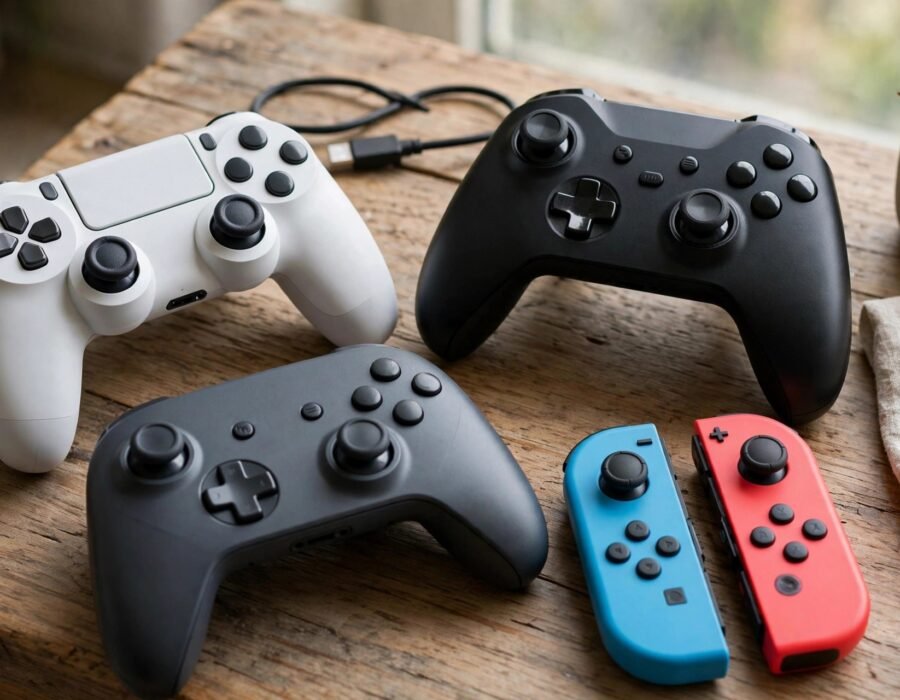
Your friend is on PlayStation, you are on PC, and another friend just got a Switch. Ten years ago, playing together would have been impossible — each platform was a walled garden. Today, many games let you squad up across all of them. That magic has a name: crossplay. If you want to understand how to understand crossplay and how to enable it in the US — the process is the same worldwide — this guide covers what it is, which games support it, how to turn it on, and the trade-offs nobody mentions until you are getting destroyed by PC players.
Crossplay (or cross-platform play) lets players on different hardware — PlayStation, Xbox, Switch, PC, mobile — play together in the same matches. Its close cousin, cross-progression, carries your unlocks and stats across platforms; cross-save moves your save files. They are often bundled but technically separate, and a game can offer one without the others. Together, they are dismantling the platform walls that defined gaming for decades.
Why Crossplay Exists Now (and Didn’t Before)
The walls were business, not technology. Platform holders historically blocked crossplay to lock players into their ecosystem — your friends were on PlayStation, so you bought a PlayStation. What changed was Fortnite: its massive player base made crossplay a demand players would not drop, and Sony’s 2018 reversal (after sustained public pressure) broke the dam. Once the biggest game in the world went cross-platform, resistance became commercially untenable.
The technical barriers were always solvable — standardized networking, unified account systems — but the business incentives had to align first. Now crossplay is a competitive feature: games launch with it as a selling point, and its absence draws criticism in reviews and on forums alike, where players now treat it as a missing feature. The FCC’s broadband data is relevant here too, because crossplay’s promise assumes everyone has a decent connection — a reminder that the digital divide is also a gaming divide. For most players, the practical question has shifted from “does it exist” to “how do I turn it on,” and the best video games for casual players increasingly include it by default.
How to Enable Crossplay, Step by Step
The process varies by game but follows a pattern. First, create or link the game’s central account (Epic Games account for Fortnite, Activision account for Call of Duty, EA account for Apex Legends) — this is the identity that spans platforms. Second, find the crossplay toggle in settings: on PlayStation it is often under Settings → Account → Privacy or in the game’s own options; on Xbox, system-level crossplay lives under Settings → Account → Privacy & Online Safety → Xbox Privacy → View Details → Communication & Multiplayer.
Third, add friends via the game’s account system, not the platform’s — your Epic friends list, not your PlayStation friends list, is what spans devices. Common gotchas: child accounts often have crossplay disabled by parental controls; some games require opting in per-title; and Nintendo Switch voice chat remains its own special headache. If matchmaking seems broken, the culprit is usually an unlinked account or a privacy setting, not the game. The ESRB’s family gaming resources walk through parental controls for cross-platform play, which is where most families actually get stuck.
Cross-Progression: The Other Half
Do not assume crossplay includes cross-progression. Many games let you play together but keep purchases and unlocks siloed per platform — your PlayStation skins may not appear on PC. Check each game’s policy before buying cosmetics on one platform expecting them elsewhere. The industry is converging on full cross-progression, but licensing tangles (especially with platform-exclusive content) still create exceptions.
The Trade-Offs: Input, Cheating, and Fairness
Crossplay’s dirty secret is input disparity. PC players with mouse and keyboard aim faster and more precisely than controller players, and competitive crossplay pools can feel unfair. Games handle this three ways: input-based matchmaking (controller players grouped together regardless of platform), aim assist for controllers (controversial and endlessly debated), or opt-out toggles letting console players avoid PC pools. Check your game’s approach before assuming a level field.
Cheating is the other friction. PC’s open platform makes aimbots and wallhacks easier, and crossplay imports that problem into console lobbies — a frequent complaint in Call of Duty and similar shooters. Developers counter with kernel-level anti-cheat and crossplay opt-outs, but it is an arms race. If you mostly play casually with friends, none of this matters much. If you play ranked competitively, understand the pool you are entering. Console shortages have eased, but why video game consoles are sometimes hard to find explains the hardware cycles that still shape who plays on what.
The Future: The Walls Keep Falling
The trajectory points one way: toward platform agnosticism. Cloud gaming services stream the same game to any screen, making the underlying hardware irrelevant. Account systems are unifying — buy once, play anywhere is becoming the expectation, not the exception. Even Sony, the last holdout, now treats crossplay as standard for new releases. The remaining friction is commercial rather than technical: platform-exclusive content deals, revenue splits on cross-platform purchases, and the slow work of unifying decade-old account systems.
For players, the practical advice is to invest in platform-agnostic identities: link every game to its central account, keep your Epic/Activision/EA credentials secure with two-factor authentication, and prefer games with full cross-progression when choosing where to spend money. The console wars are not over, but the battlefield moved — it is now about services and subscriptions, not about who you are allowed to play with. Your friends list is finally bigger than your hardware, and that is worth celebrating.
The Bottom Line
Crossplay lets friends play together regardless of hardware, enabled through linked game accounts and in-game toggles — a feature that barely existed a decade ago and is now standard. The trade-offs are input fairness and imported cheating, manageable through matchmaking settings and opt-outs. Set up your central accounts once, check each game’s cross-progression policy before spending money, and enjoy the actual point of it all: the walls are down, and the squad is whoever you want it to be — on whatever box they happen to own.
Frequently Asked Questions
Do all games support crossplay?
No. It is increasingly common in major multiplayer titles (Fortnite, Call of Duty, Minecraft, Rocket League, Apex Legends) but far from universal. Always check a specific game’s support before buying it for cross-platform play with friends — and confirm whether it includes cross-progression too.
Can I turn off crossplay?
Usually yes. Most games and both major consoles offer crossplay toggles, often for fairness reasons — console players avoiding PC cheaters or input disparity. On Xbox it is a system-level privacy setting; on PlayStation it is typically per-game.
Is crossplay free?
The feature itself is free, though the usual platform subscriptions apply (PlayStation Plus or Xbox Game Pass Core for online multiplayer on consoles). Free-to-play crossplay games like Fortnite need no subscription on most platforms.
Why can’t I find my friend to add them?
You are probably looking in the wrong friends list. Cross-platform friends are added through the game’s account system (Epic, Activision, EA), not your console’s friends list. Make sure accounts are linked and privacy settings allow friend requests.